Carol Sobers is an event industry expert and content creator, specializing in the latest trends, innovations, and AI-driven strategies in event strategy and digital engagement.
Want to make your own social media wall? The easiest way is to use Social Walls by Taggbox to collect social media content from platforms such as Instagram, Facebook, and X, moderate the posts, customize the display, and publish the wall on event screens, TVs, LED displays, or digital signage. You do not need to build a social wall from scratch with code.
A social media wall brings posts from different social networks into one live display. It can be used at events, offices, stores, exhibitions, and other public spaces to showcase fresh social content in one place.
What Do You Need to Create a Social Media Wall?
Before you start, decide:
Which social platforms you want to display
Where you want to show the wall
Whether you want to use hashtags, handles, mentions, or specific accounts
What type of content you want to feature
How you want the wall to look
For an event social wall, you can collect attendee posts using an event hashtag wall. For a website, you may want to display content from your brand’s social accounts.
How to Make Your Own Social Media Wall
1. Choose a Social Wall Tool
Start with a social wall platform that supports the social networks and content sources you need.
Social Walls by Taggbox is one option for collecting social content and displaying it in a customized wall. When choosing a tool, look for features such as content aggregation, customization, moderation, responsive layouts, and real-time updates.
2. Connect Your Social Media Accounts
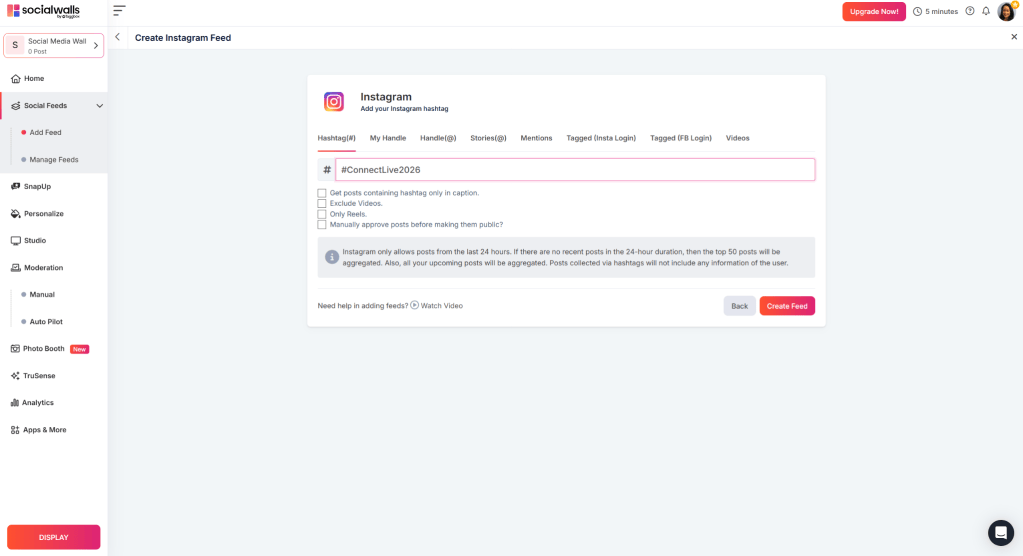
Connect the social profiles or content sources you want to use.
Depending on the tool, you may be able to collect content through hashtags, usernames, pages, mentions, or other supported sources.
3. Select the Content
Once your sources are connected, choose which posts should appear on your social media wall.
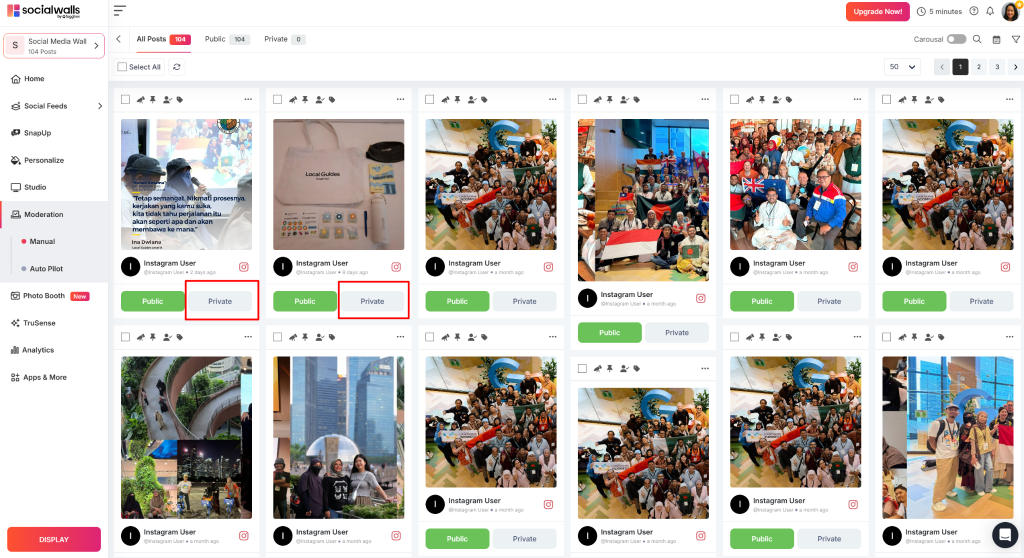
You can use moderation to review posts before they go live. This is especially useful for social walls for events, where content can come from many attendees.
4. Customize the Wall
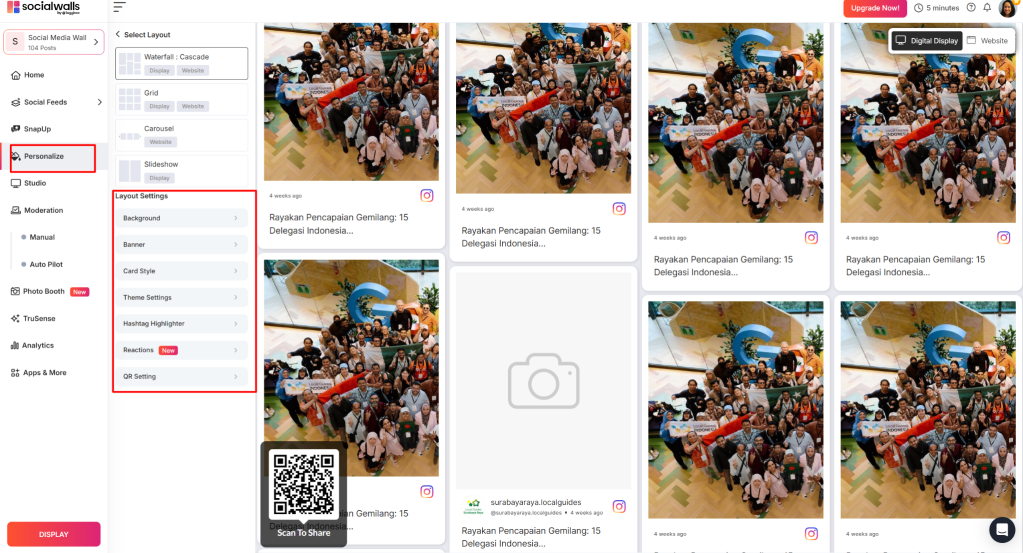
Match the wall with your brand or event.
You can usually adjust:
Layout
Colors
Fonts
Spacing
Background
Post style
Branding elements
A clean design makes the content easier to see, especially on large screens.
5. Display Your Social Wall
Once everything looks right, publish your wall where your audience can see it.
A social media wall turns scattered social posts into one shared display. At events, it gives attendees a simple way to see and interact with content being created around them.
For brands, it can also bring social content into physical spaces and websites instead of keeping it limited to individual social platforms.
Final Thoughts
Making your own social media wall does not require building one from scratch. With Social Walls by Taggbox, you can create a wall, connect your social media sources, collect and moderate posts, customize the design, and display the content for your audience.
For events, a social wall for events can bring attendee posts, hashtags, photos, and conversations together on one live display.
People remember events where they felt involved. A great speaker can make a session memorable. A packed venue can create energy. But when attendees get to participate, share, vote, create, and connect, they become part of the experience.
That is what makes interactive events so engaging. The good news is that interaction doesn’t have to mean elaborate games or complicated technology. Sometimes, a simple question, photo challenge, live poll, or social wall can involve the whole room.
Here are 25 interactive event ideas you can use at conferences, trade shows, corporate events, festivals, launches, and more.
Interactive Event Ideas for More Engaging Experiences
1. Create a live social wall
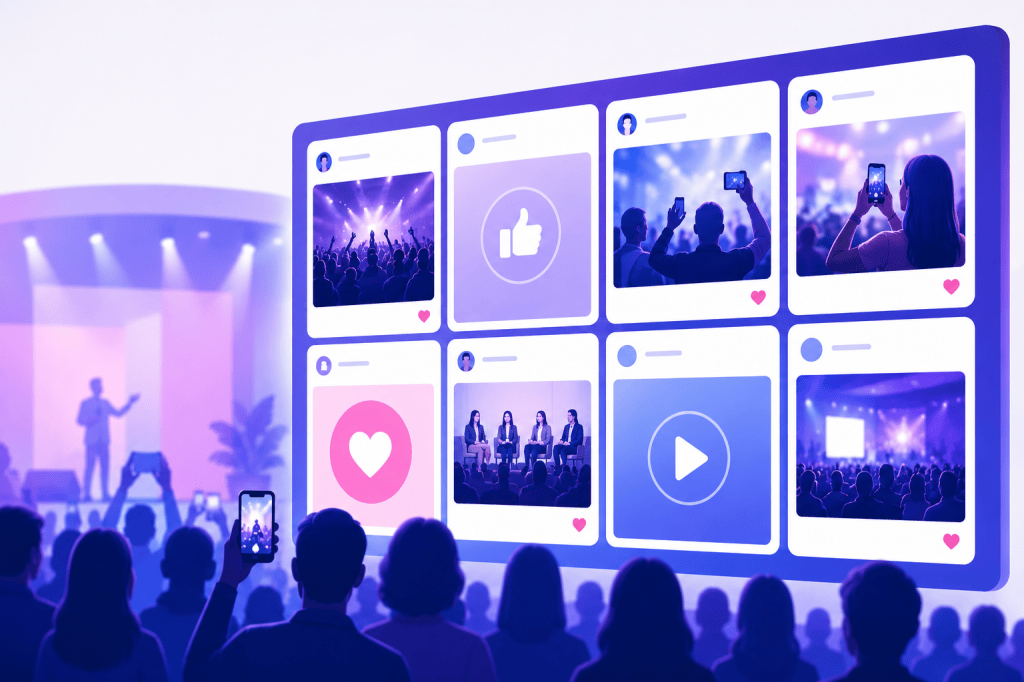
Bring posts from Instagram, LinkedIn, X, TikTok, and other social platforms onto a large event screen. Show attendee photos, event hashtags, reactions, and other approved content as it comes in.
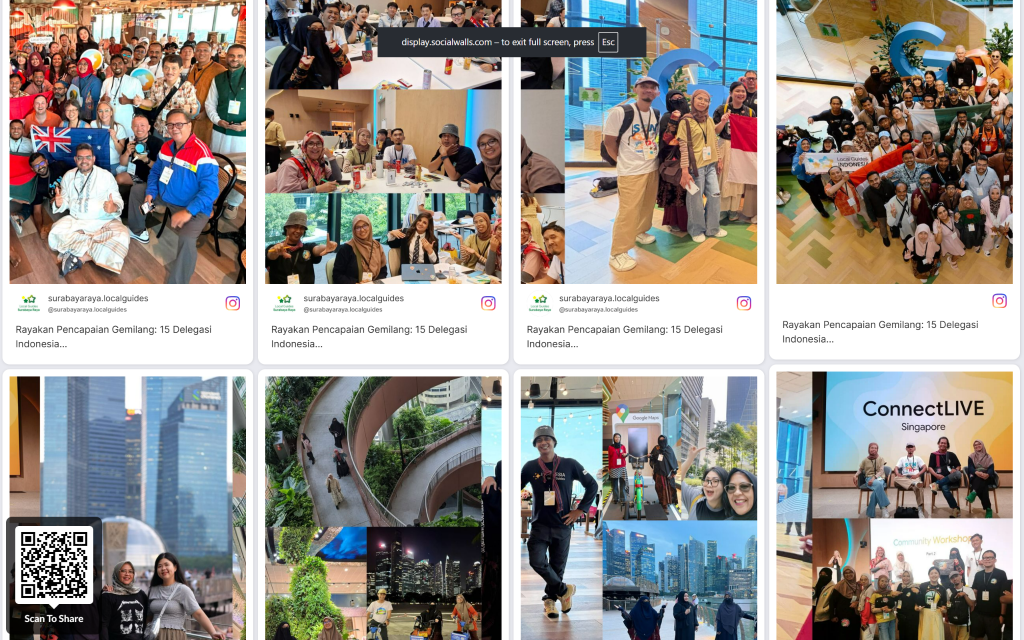
When people see their own posts appear on the screen, a best social wall becomes part of the event experience.
2. Run a live poll
Ask your audience a question and let them answer from their phones. Show the results on screen and let the speaker react to them in real time.
You can use live polls to understand opinions, test knowledge, or simply get everyone involved.
3. Open the floor with live Q&A
Give attendees a simple way to submit questions during a session.
A QR code can take them straight to a submission page. A moderator can then select questions and bring them into the conversation. This works well for keynotes, panels, workshops, town halls, and fireside chats.
4. Start an event photo challenge
Give attendees a photo prompt and see what they come up with.
Try:
“Show us your favorite moment.”
“Take a photo with someone you just met.”
“Show us your view from the event.”
“Capture the best team photo.”
Collect the photos and display them on your event social wall.
5. Set up a QR code photo wall
Put a QR code around the venue and let attendees upload photos, videos, or messages directly. It gives everyone an easy way to contribute and gives your event team a steady stream of audience-generated content. Display selected submissions on screens around the venue.
6. Create a networking challenge
Give people a reason to meet someone new.
Ask attendees to:
Find someone from another industry.
Meet someone attending for the first time.
Find someone who works in the same field.
Meet three new people before the next session.
A simple challenge can make networking feel much easier.
7. Let the audience choose the next topic
Give attendees a few options and let them vote on what comes next. They could choose the next discussion topic, breakout session, workshop question, or speaker prompt. When people help shape the event, they have another reason to stay involved.
8. Create a live leaderboard
Turn participation into a friendly competition. Give points for answering questions, joining challenges, visiting booths, completing activities, or contributing content.
Put the leaderboard on a large screen so everyone can follow along.
9. Run an audience quiz
Test what your audience knows about your topic, industry, company, or event. Keep the questions short and show the results after each round.
A live quiz adds energy to a session and gives everyone an easy way to participate.
10. Give your event hashtag a job
Your event hashtag can become part of the experience. Ask attendees to use it when sharing photos, takeaways, reactions, or answers to a specific prompt.
Then bring selected posts onto a live social media wall. The simple loop:
Post → appear on screen → get noticed → participate again.
11. Create a “best moment” wall
Ask attendees to share their favorite moment as the event happens. Collect photos, videos, quotes, and reactions and turn them into a live stream of the moments people are enjoying most.
By the end of the event, you have the beginnings of a visual recap created by the audience.
12. Run a prediction challenge
Ask your audience to predict what will happen next. It could be a product launch, industry announcement, keynote reveal, competition, or even a fun question about the event itself. Reveal the results later and see who got it right.
13. Create a digital graffiti wall
Give attendees a digital space to leave messages, ideas, sketches, or short responses. Try prompts such as:
“What should we build next?”
“What does the future of our industry look like?”
“Describe today’s event in three words.”
Display selected responses on a large screen so the audience can see their ideas become part of the event.
14. Let attendees vote with reactions
Participation can be as simple as tapping an emoji. Ask the audience to react to a question, statement, presentation, or idea. Display reactions live so the speaker can see how the room is responding.
15. Build a social photo booth
Create a photo booth around your event theme. Add branded elements, props, or a creative backdrop and encourage attendees to share their photos using the event hashtag. Display selected photos on your social wall and turn the booth into a shared event moment.
16. Create a sponsor challenge
Give sponsors an activity people can participate in. A sponsor could run a photo challenge, trivia round, scavenger hunt, or networking activity. Show the submissions on your social wall and give attendees another reason to interact with the sponsor.
17. Run a scavenger hunt
Turn the venue into part of the experience. Give attendees clues that lead them to booths, installations, sessions, or other event areas.
QR codes can reveal the next clue, track progress, or unlock a small reward.
18. Create a “meet someone who…” board
Give attendees a list of people to find. For example:
Someone attending for the first time
Someone from another country
Someone in your industry
Someone who has attended three events
Someone working on an interesting project
It gives people an easy opening line and turns networking into an activity.
19. Ask for one-word reactions
Give attendees a simple prompt: “Describe today’s event in one word.” Collect the responses and display them live. As the event progresses, the screen becomes a snapshot of how the audience is experiencing the day.
20. Let attendees submit content directly
Give people a way to send photos, videos, messages, or other content directly to the event team. A QR-based submission tool can make the process quick. Curate the submissions and display the best ones on your event screens. This is especially useful when you want audience-generated content from people who prefer to participate directly.
21. Create a live event countdown
Build anticipation before a keynote, product launch, announcement, competition, or special activity. A countdown on the main screen creates a shared moment for everyone in the room. You can also pair it with announcements, sponsor messages, or audience prompts.
22. Turn audience questions into content
Save the best questions people ask during the event. Turn them into social posts, short videos, follow-up articles, FAQs, or topics for your next webinar. The questions your audience asks can show you what they want to learn next.
23. Create a live event recap
Keep collecting content throughout the day and use it to tell the event’s story. Show the opening moments, speaker highlights, audience reactions, networking, activities, and memorable posts.
Display the recap during the closing session and reuse the content across social media and email campaigns.
24. Give attendees a role in the closing session
Bring the audience back into the spotlight before the event ends. Ask them to share their biggest takeaway, favorite moment, or one thing they plan to do after the event.
Display selected responses on the main screen and use them to shape the final conversation. It gives the audience a chance to have the last word.
25. Give people a next step
End the event with something attendees can look forward to.
Share the date of your next event. Invite people to your community. Announce a follow-up webinar. Offer a useful resource. Open registration for the next experience.
A good final interaction can turn today’s engagement into tomorrow’s connection.
How to Choose the Right Interactive Event Ideas
Start with the experience you want to create.
Want more social content? Try a social wall, photo challenge, hashtag activity, or QR-based content submission.
Want more participation during sessions? Use live polls, Q&A, quizzes, reactions, or prediction challenges.
Want better networking? Try networking challenges, scavenger hunts, or a “meet someone who…” activity.
Want more sponsor engagement? Build sponsor challenges, branded activities, or interactive photo experiences.
Want content you can use after the event? Focus on audience-generated content, live recaps, attendee questions, and social media walls.
You can also combine several ideas. For example, a conference could use a live poll during sessions, a QR photo challenge during breaks, and a social wall throughout the day.
The best mix depends on your audience, venue, event format, and the experience you want people to have.
Make Participation Part of the Event
Interactive events give people a chance to share, respond, connect, and create.
That can happen through a live poll. A photo challenge. A networking activity. A question on screen. Or a social wall that brings everyone’s contributions together.
Events are no longer limited to what happens on stage. Attendees constantly share photos, videos, opinions, reactions, and experiences on social media. Bringing this content into the live event experience can make attendees feel more involved while turning social activity into an important part of the event.
This is where an AI social wall can make a difference.
AI-powered social wall tools help event organizers collect content from social media, moderate posts, identify relevant content, and display selected posts on event screens in real time. From conferences and trade shows to weddings, award ceremonies, festivals, and corporate events, social walls can create a more engaging event experience.
With so many social media wall tools available, choosing the right platform can be challenging. This guide compares some of the best social wall tools for events in 2026, starting with Social Walls by Taggbox.
1. Social Walls by Taggbox
Social Walls by Taggbox is an event-focused social media wall platform that helps organizers collect, curate, moderate, and display live social media content during events.
The platform brings together content from multiple social networks and other sources, allowing event organizers to create a centralized live feed. Attendee posts, hashtags, mentions, photos, and videos can be displayed on event screens, digital signage, websites, or other displays.
As an AI-powered social wall software, Social Walls can help organizers manage large amounts of user-generated content while maintaining control over what appears publicly.
Key Features
AI-powered content moderation
Social media aggregation
Real-time content updates
Hashtag and mention aggregation
Photo and video collection
Customizable social wall designs
Sentiment analysis
Audience reactions
Analytics
Multiple display options
Support for 15+ content platforms
This makes Social Walls one of the strongest event social wall tools for organizations that want to turn attendee-generated content into a live visual experience.
For example, at a conference, attendees can post using the official event hashtag. Their content can then be collected and displayed on screens around the venue. Organizers can moderate posts before they appear, helping maintain a brand-safe environment.
The process generally involves connecting your social media sources, collecting content, applying moderation and customization settings, and displaying the finished social wall on your event screens.
2. Walls.io
Walls.io is a social media aggregation platform that allows brands and event organizers to collect content from different social networks and display it in social walls.
For events, the platform can be used to showcase attendee posts, campaign content, hashtags, and other social activity on screens.
Key Features
Social media aggregation
Social walls
Content moderation
Customizable layouts
Event displays
Website embedding
Multiple social sources
Walls.io is a useful option for organizations looking for social media wall software that can bring multiple social channels together.
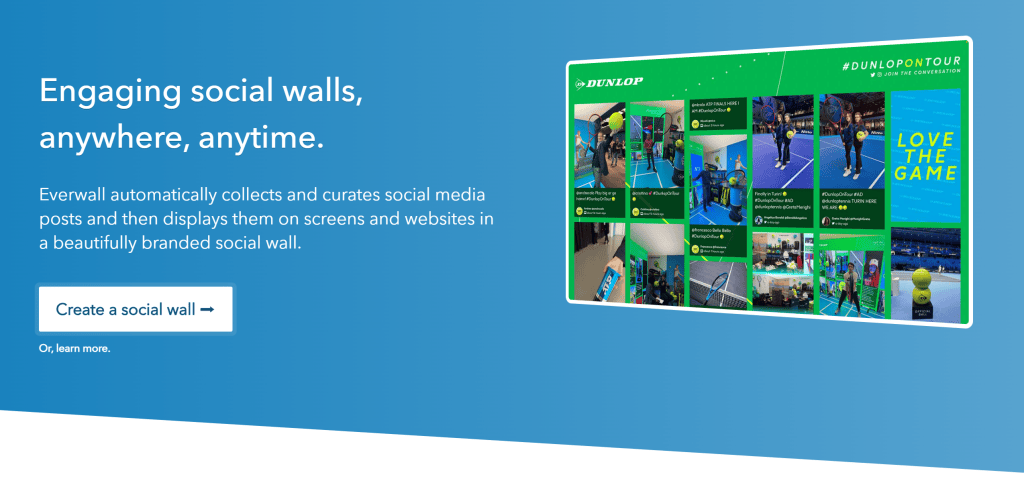
3. Everwall
Everwall focuses on displaying real-time social media content and audience interactions on event screens.
The platform can be used for conferences, sporting events, corporate events, and other live experiences where audience-generated content is an important part of the event.
Key Features
Real-time social media displays
Social media monitoring
Content moderation
Event displays
Custom branding
Audience engagement features
Everwall can be useful when organizers need an event social wall tool to make social activity a visible part of the live event environment.
4. Flockler
Flockler is a social media aggregation and content display platform that helps organizations collect content from multiple online sources.
Its displays can be used on websites, digital signage, and event screens to showcase fresh content.
Key Features
Social media aggregation
Digital signage displays
Social walls
Content moderation
Custom layouts
Website embedding
Multiple content sources
Flockler can work well for organizations that want to use social content beyond individual events and incorporate it into ongoing digital displays.
5. Juicer
Juicer is a social media aggregator that allows businesses to collect posts from different social networks and display them in customizable feeds.
For events, Juicer can help organizers bring social posts into a central display and keep the content updated.
Key Features
Social media aggregation
Customizable feeds
Multiple social networks
Content moderation
Responsive displays
Website embedding
Juicer is worth considering for brands looking for social media wall tools that can support both websites and event displays.
6. Onstipe
Onstipe provides social media aggregation and display tools that can be used to showcase social content across websites and physical screens.
Event organizers can use social feeds to display audience-generated content and encourage attendees to participate using branded hashtags.
Key Features
Social media feeds
Content aggregation
Social walls
Moderation
Customization
Website and screen displays
Onstipe can be considered by smaller events, campaigns, and organizations looking for straightforward social media display functionality.
Social Wall Tools Comparison: What Should You Look For?
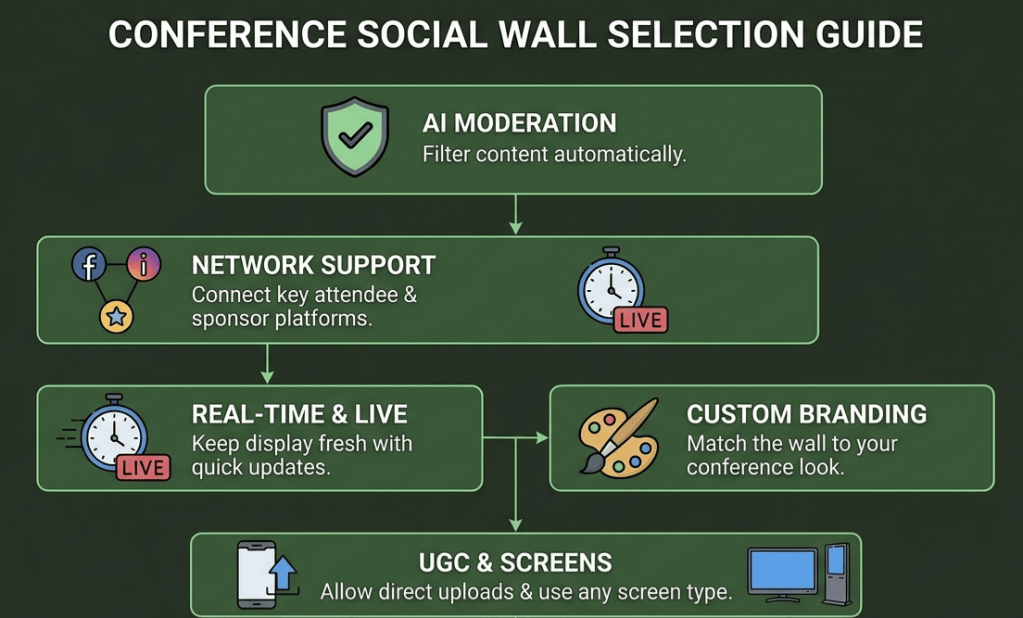
When conducting a social wall tools comparison, don’t focus only on the number of supported social networks. The right platform should match your event goals, audience, content volume, and display requirements.
A social wall software comparison should consider several factors.
AI-Powered Moderation
Large events can generate hundreds or thousands of social posts. AI moderation can help identify inappropriate or irrelevant content and reduce the amount of manual work required from event teams.
Content Sources
Check whether the platform supports the social networks your audience uses. If your attendees frequently post on Instagram, X, Facebook, LinkedIn, TikTok, or other platforms, make sure your chosen solution supports those sources.
Customization
The social wall should match your event branding. Look for layouts, themes, colors, logos, fonts, and styling options that allow the display to feel like a natural part of your event.
Real-Time Updates
Live events benefit from content that appears quickly after attendees publish it. Real-time updates can make the social wall feel active and encourage more attendees to participate.
Display Compatibility
Consider where you will display the content. The platform should work with TVs, LED screens, projectors, digital signage, video walls, or websites, depending on your event setup.
Analytics
Analytics can help you understand how much engagement your social wall generated. Look for metrics that provide insight into posts, interactions, audience participation, and hashtag activity.
Best Social Wall Tools for Businesses
Social walls aren’t limited to events. Businesses can use them across websites, retail stores, offices, trade shows, conferences, campaigns, and digital signage.
The best social media wall tools for businesses should offer flexibility across multiple use cases rather than being limited to one type of event.
When evaluating the best social wall software, consider whether the platform can support your long-term content strategy.
For companies running large conferences or multiple events, the best event social wall tools should also provide reliable displays, moderation, analytics, branding, and support for large volumes of content.
Final Thoughts
AI-powered social walls are becoming a valuable part of modern event experiences. They allow organizers to transform social media activity and attendee-generated content into a live, interactive display.
From Social Walls by Taggbox to Walls.io, Everwall, Flockler, Juicer, and Onstipe, there are several platforms available for different event requirements.
For organizations looking for social wall tools for businesses as well as events, Social Walls by Taggbox offers a combination of social media aggregation, AI-powered moderation, customization, real-time displays, audience engagement, and analytics.
When comparing the best social media wall software, focus on the features that matter most to your event: content sources, moderation, customization, real-time updates, display compatibility, analytics, and scalability.
The right social wall can turn attendee posts into more than social content—it can make them a visible and engaging part of the event experience itself.
Your website already contains plenty of content ideas. They are often sitting outside your CMS—in replies, mentions, customer comments, event conversations, product discussions, and the posts people publish about your brand on Twitter.
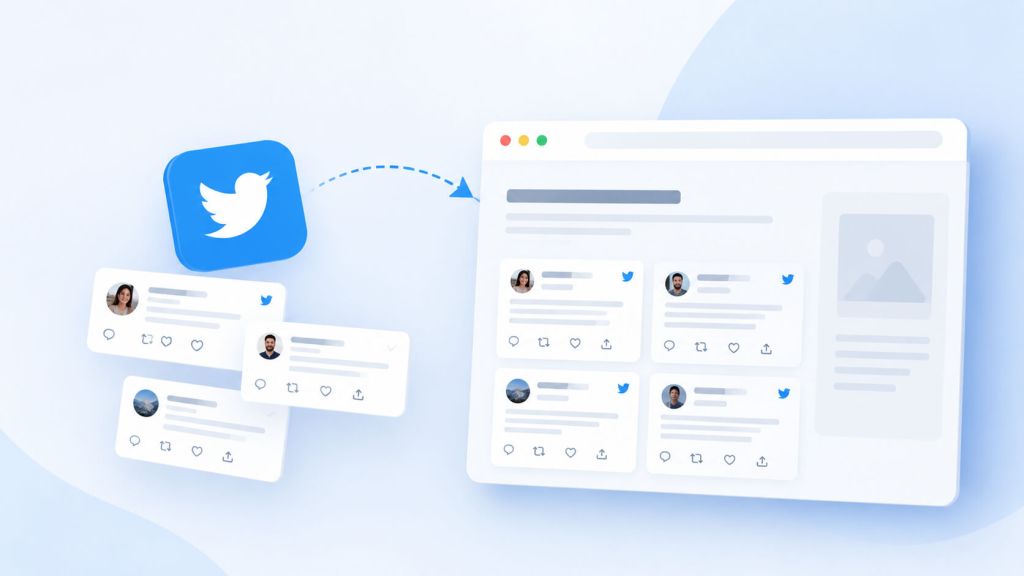
The challenge is turning that fast-moving social activity into something useful on your website without making it feel like recycled social media. A add twitter wall to website can help bridge that gap. Instead of treating Twitter content as something that belongs only on a social profile, you can bring selected conversations onto your website and make them part of the experience.
Done well, a Twitter wall does more than display a stream of tweets. It can provide social proof, add a sense of freshness to static pages, surface real customer perspectives, and give visitors a clearer idea of how people are talking about your brand, product, event, or industry.
The key is curation. Simply embedding every tweet from an account rarely creates meaningful website content. The value comes from choosing conversations that support the page, presenting them in the right context, and keeping the wall current.
What Is a Twitter Wall?
A Twitter wall is a website display that collects and presents Twitter posts in a visual feed or curated social media section. Depending on the tool and setup, the wall may pull content from a Twitter/X account, hashtag, mention, keyword, or other supported source and display it on a website.
For example, an event organizer might create a wall showing posts from attendees using an event hashtag. A SaaS company could showcase customer conversations around its product. A retailer might feature posts from customers discussing products or sharing experiences.
The important distinction is that a Twitter wall is not necessarily the same thing as embedding one tweet. A single tweet adds an isolated social post to a page. A Twitter wall creates a broader collection of conversations, allowing visitors to see multiple voices and interactions in one place.
That makes it particularly useful when the goal is to turn social activity into a living content layer rather than simply add a social-media button to a website.
Why Social Conversations Can Be Valuable Website Content
Traditional website content is usually created by the business: product descriptions, articles, landing-page copy, case studies, announcements, and other editorial material. Social conversations introduce another perspective—the way customers, attendees, partners, creators, and other members of the community actually talk about the subject.
That difference matters.
A carefully selected collection of social posts can answer questions your marketing copy may not address. Customers might explain how they use a product in an unexpected situation, share a result, comment on a new feature, or describe what they found useful. Event attendees may capture moments that an official event page cannot. Industry conversations can also give visitors a sense of what people are currently discussing.
A Twitter wall makes those conversations visible without requiring visitors to leave your website and search through social media themselves.
It can also make otherwise static pages feel more current. A landing page that contains only company-controlled copy can remain unchanged for months. A moderated social media wall can introduce new customer perspectives as conversations develop, provided the source content remains relevant and appropriate.
The result is not simply “more content.” It is a different type of content—one that shows what people are saying rather than only what a business wants to say.
Start With the Conversation You Want Visitors to See
The biggest mistake is starting with the widget instead of the content.
Before choosing a feed or designing a Twitter wall, decide what conversation deserves a place on your website. The answer should come from the purpose of the page.
If the wall is going on a product page, customer discussions about using the product are likely to be more useful than a general company feed. If it is going on an event page, posts from attendees, speakers, and organizers may make more sense. On a destination or hospitality website, visitor posts can provide a more authentic sense of the experience.
This gives you a useful editorial filter:
What should a visitor understand, believe, or discover after seeing these posts?
Once that is clear, decide which source best represents that conversation. A branded account may work for announcements and official updates, while a hashtag or mention-based collection can reveal a broader range of voices.
The more specific the purpose, the easier it becomes to avoid turning the wall into an indiscriminate social feed.
Curate Tweets Instead of Publishing Everything
A website should not become a dumping ground for social posts.
Social feeds move quickly, and not everything published on Twitter deserves a permanent—or even temporary—place on your website. Posts can be repetitive, outdated, unrelated to the page, promotional, controversial, or simply difficult for a visitor to understand without the original social context.
Curation solves this problem.
Choose posts that contribute something to the page. A useful selection might include:
A customer explaining how they use your product
A thoughtful response to a product announcement
A customer-generated photo or video relevant to the page
An attendee sharing a meaningful event moment
A relevant industry conversation
A partner or creator discussing your product or service
A question that highlights something visitors commonly want to know
The goal isn’t to make the wall look busy. A smaller collection of genuinely relevant posts can be far more useful than a large stream filled with noise.
This is also where moderation matters. If your Twitter wall automatically updates, establish rules for what should appear and what should be excluded. Depending on the tool, you may be able to moderate posts before displaying them or filter content based on keywords and sources.
Give the Tweets Context
A tweet that makes perfect sense on Twitter can be surprisingly confusing when displayed on a website.
On social media, people understand the surrounding context: the account, previous posts, replies, trending topics, hashtags, and current events. A visitor arriving at your website may have none of that context.
That is why the strongest Twitter walls are not simply collections of isolated posts. They are integrated into the page with a clear explanation of what visitors are seeing.
For example, instead of placing a wall underneath a heading such as “Latest Tweets,” you could introduce it as a collection of customer conversations about a product, attendee posts from an event, or community discussions around a particular topic.
That small amount of editorial framing changes how the content is interpreted.
It also gives you an opportunity to connect the social conversation with the page itself. If the page explains a product feature, the accompanying social posts can demonstrate how customers discuss or use that feature. If the page is about an event, the wall can extend the event experience beyond the official highlights.
The social content becomes supporting evidence rather than decoration.
Use a Twitter Wall as Social Proof
One of the most practical applications is social proof.
People naturally distinguish between a company’s own claims and comments made by other people. A business saying that its product is easy to use is marketing copy. A customer explaining how they use the product in a real situation provides a different kind of evidence.
A Twitter wall can bring several of those perspectives together.
Imagine a software company’s product page that includes a curated wall of customer posts. One customer discusses a particular workflow, another shares a result, and another comments on a feature they found useful. None of these posts needs to make a grand claim about the company. Together, they can show visitors how the product fits into real conversations.
The same approach works for events. Rather than relying entirely on official photographs and promotional language, an event page can show what attendees and speakers actually posted during the event.
This doesn’t mean every social post is automatically trustworthy or representative. It means that carefully selected public conversations can add another layer of credibility when presented honestly and in the right context.
Turn Recurring Conversations Into Content Themes
A Twitter wall can also help you identify what your audience repeatedly talks about.
Suppose you collect posts around a product or industry topic for several weeks. You may notice recurring questions about setup, integrations, pricing, specific use cases, or common problems. Those patterns can reveal opportunities for more substantial website content.
For instance, if visitors repeatedly ask how a product works with a particular platform, that conversation can inform a dedicated guide. If customers frequently share the same use case, it may deserve a tutorial or case study. If people keep misunderstanding a feature, the product page may need clearer documentation.
In this sense, the Twitter wall is not just a publishing destination. It can become a source of editorial intelligence.
The social conversation tells you what people are interested in, confused about, or excited by. Your website can then respond with more useful content.
That creates a stronger relationship between social activity and owned content: social conversations reveal the questions, while your website provides the deeper answers.
Place the Wall Where It Adds Meaning
Placement has a significant effect on whether a Twitter wall feels useful or tacked on.
A wall placed at the very bottom of a long page may receive little attention. A wall placed directly beside relevant content can reinforce the point being made.
For example:
Product page: Place relevant customer conversations near a feature or use case they illustrate.
Event page: Place attendee posts near event highlights, schedules, or registration information.
Campaign landing page: Display posts from the campaign community alongside the campaign message.
Homepage: Use a broader selection if the purpose is to show overall community activity rather than support one specific claim.
Blog or resource page: Use industry conversations when they genuinely extend the subject being discussed.
The right placement depends on what the posts contribute. If visitors have to wonder why a social wall is there, it probably isn’t integrated well enough.
Make the Wall Part of the Page Experience
A good Twitter wall should look like part of the website rather than an unrelated social-media plug-in.
Consider how it fits with the page’s typography, spacing, card design, and overall visual hierarchy. Give it enough space to be readable, particularly when tweets contain images, videos, replies, or longer text.
At the same time, avoid allowing the wall to dominate the page. The website’s primary content and conversion path should remain clear.
Responsive behavior matters as well. A wall that looks good on a desktop screen can become difficult to navigate on a phone if cards are too wide, text is cramped, or the feed requires excessive scrolling.
Performance deserves attention too. Third-party social widgets can add scripts and external requests to a page, so test the implementation rather than assuming that a visually attractive widget has no technical cost.
Keep the Content Fresh Without Losing Control
The appeal of a Twitter wall is that it can change over time. But automatic updates create a trade-off between freshness and control.
A completely automated feed may eventually display content that no longer fits the page. A fully manual process, on the other hand, can become difficult to maintain.
A practical approach is to define clear moderation and refresh rules. Decide which sources are acceptable, which keywords or hashtags should be included, how frequently the content should be reviewed, and what happens when an old post becomes irrelevant.
For campaign pages and short-lived events, a more active moderation process may make sense. For an evergreen product page, a smaller and more carefully controlled selection may be preferable.
Also consider what happens when there is little new activity. A wall does not need to change every day to be useful. Relevance is more important than constant movement.
Respect the Difference Between Social Content and Original Website Content
There is an important editorial distinction between displaying a social conversation and turning that conversation into an original article.
Embedding or displaying public posts does not automatically transform them into original website content. If you want to build a substantial page around a social discussion, add genuine value around it.
For example, you could use selected tweets as examples within a guide, explain the issue they illustrate, answer the questions raised in the conversation, and provide practical information that a visitor cannot get from the tweets alone.
That creates a useful combination: the social posts provide real-world context, while your editorial content provides depth.
Simply surrounding a large collection of tweets with a few sentences does not have the same value.
A Simple Workflow for Building a Useful Twitter Wall
The process doesn’t need to be complicated.
Define the page’s purpose. Decide what role the social conversation should play for visitors.
Choose the right source. Select an account, hashtag, mention, keyword, or other relevant feed based on the conversation you want to surface.
Set content rules. Decide what qualifies as relevant and what should be excluded.
Collect and curate posts. Remove repetitive, outdated, irrelevant, or inappropriate content.
Add editorial context. Explain why visitors are seeing these conversations and how they relate to the page.
Design the wall to fit the website. Match the presentation to the site’s visual system without making the feed overpowering.
Test the implementation. Check mobile usability, loading behavior, links, media, and overall page performance.
Review it periodically. Social conversations change, so make sure the content remains appropriate for the page.
This workflow keeps the focus on the visitor rather than the technology.
When a Twitter Wall Makes Sense—and When It Doesn’t
A Twitter wall is particularly effective when your brand, event, product, or community already generates meaningful conversation on Twitter/X. It can be especially useful when the social content adds perspectives that your official website content cannot easily reproduce.
It is less useful when the account has little activity, most posts are promotional, or the conversation has no meaningful connection to the page. In those situations, adding a wall simply because the website has space for one can create more clutter than value.
The same principle applies when another content source better represents your audience. If most of your customers share experiences on another social network, forcing a Twitter wall into the experience may not make sense. The objective is not to display social content for its own sake. It is to bring relevant community content into a place where it helps visitors.
The Best Twitter Walls Feel Like Content, Not Widgets
The technology behind a Twitter wall is relatively straightforward. The harder part is deciding what deserves to be shown and why.
The strongest implementations treat social posts as editorial material. They select conversations with a purpose, provide enough context for visitors to understand them, and place them where they reinforce the surrounding content. They also maintain enough moderation to prevent an automated feed from becoming irrelevant.
That approach turns a Twitter wall from a decorative social widget into a useful extension of your website.
Your social channels capture conversations as they happen. Your website gives those conversations a more lasting context. When the two are connected thoughtfully, a Twitter wall can help visitors see not only what your brand says about itself, but also how your community talks about the things that matter to them.
If you want customers to leave a review on your Google Business Profile, you do not need to make them search for your business, open Google Maps, find the right listing, and then figure out where to leave feedback.
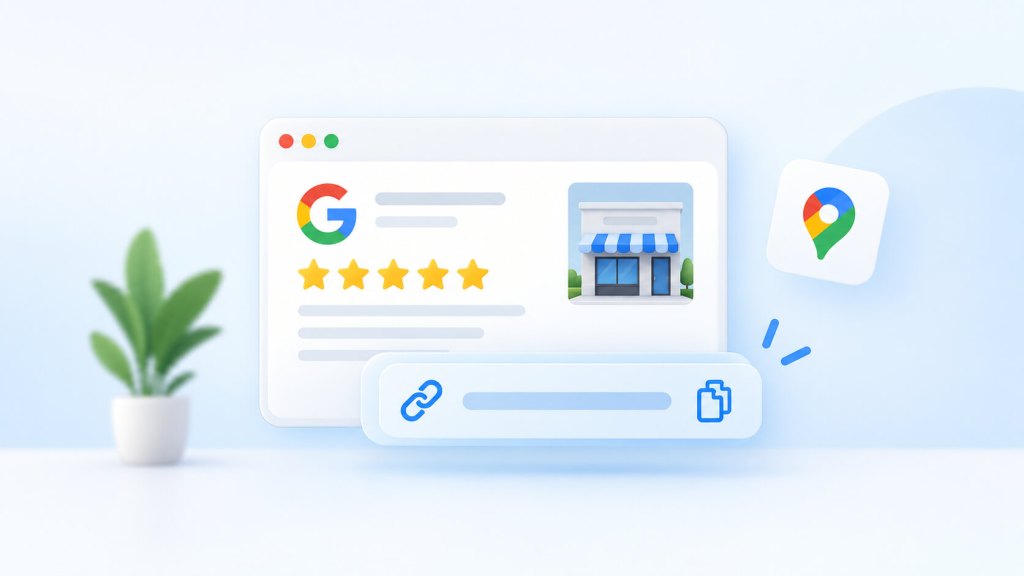
Google provides a direct review link that takes customers to the review form for your business. You can share that link in emails, messages, receipts, customer-support conversations, or anywhere else you communicate with customers. Google also lets businesses generate a QR code for the same purpose. You can also use a free google reviews widget to display your existing Google reviews on your website and make them more visible to visitors.
The process is straightforward, but Google’s Business Profile interface has changed over time, so the exact buttons you see may vary slightly. Here’s the current way to find and use your review link.
How to Get Your Google Review Link
The easiest method is through your Google Business Profile on a computer.
Sign in to the Google account that manages your Business Profile.
Open your business profile on Google Search or Google Maps.
Select Read reviews.
Choose Get more reviews.
Google will display options for sharing your review request.
Select Copy to copy your review link.
Google’s current help documentation confirms that the review link can be accessed through Read reviews → Get more reviews. From there, you can copy the link or share it using Google’s available sharing options.
If you manage multiple businesses, make sure you’ve selected the correct Business Profile before copying the link. Otherwise, you could end up sending customers to the review form for a different location.
Can you get the Google review link from your phone?
You can share a review link from your Business Profile, but there is an important distinction when it comes to the QR code.
Google currently states that review QR codes can only be generated from a computer browser, not from mobile devices. The review link itself can still be shared through Google’s available options, including email, WhatsApp, and Facebook.
So if you’re trying to create a QR code and cannot find the option in the Google Maps mobile app, switch to a desktop browser.
How to Create a Google Review QR Code
A QR code can be useful when customers are physically interacting with your business. Instead of typing a URL, they can scan the code with their phone and go directly to the review form.
To generate one:
Open your Google Business Profile on a computer.
Select Read reviews.
Click Get more reviews.
Find the QR code displayed with your review-sharing options.
Right-click the QR code and choose Save image as.
Google specifically recommends using review links or QR codes in places such as receipts, thank-you emails, chat interactions, and physical locations.
For example, a restaurant could place the QR code on a receipt, while a service business might include it on a post-service card. The important part is timing: asking for feedback shortly after a genuine customer interaction makes more sense than putting a review request somewhere customers are unlikely to notice.
What Should You Say When Asking for a Google Review?
You don’t need a complicated message. A straightforward request is usually better because the customer immediately understands what you’re asking.
For example:
Thanks for choosing us. If you have a moment, we’d appreciate an honest review of your experience on Google: [Google review link]
For a follow-up after a service, you could make it more specific:
Thanks for visiting us today. We’d love to hear how your experience went. You can share your honest feedback on Google here: [Google review link]
The important word is honest. You are asking customers to share their actual experience, not telling them what rating or wording to use.
Google says reviews must reflect a genuine experience. Businesses cannot offer incentives such as free or discounted products or services in exchange for reviews, nor can they incentivize customers to change or remove reviews. Google considers this fake engagement and prohibits it.
Where Should You Share Your Google Review Link?
Getting the link is only half the job. The more useful question is where to put it so customers actually have a convenient opportunity to leave feedback.
You can include the link in:
Post-purchase or thank-you emails
Digital receipts
Follow-up messages after a service
Customer-support conversations
Appointment follow-ups
WhatsApp messages
Printed receipts or cards
In-store signage through a QR code
Feedback or follow-up workflows
The best placement depends on how customers interact with your business. A dentist may send the link after an appointment, while an ecommerce company might include it in a post-purchase email. A hotel or restaurant could use a QR code at checkout.
The goal isn’t to send the link to as many people as possible. It’s to make leaving an honest review easy at a point when the customer’s experience is still relevant.
What If You Can’t Find the “Get More Reviews” Option?
If the option isn’t immediately visible, first make sure you’re viewing the Business Profile associated with the correct Google account.
The interface can also differ depending on whether you’re accessing the profile through Google Search, Google Maps, or a mobile device. Google’s current instructions use Read reviews → Get more reviews as the route to the review-sharing options.
If you’re specifically trying to generate a QR code, use a desktop browser because Google currently limits QR-code generation to computers.
It’s also worth remembering that a review request link and a link to an existing review are not the same thing.
How to Get a Link to a Specific Google Review
If you want to share a customer’s existing review—for example, as a testimonial—you can generate a direct link to that individual review.
Google’s current instructions are:
Open Google Maps.
Search for your business.
Open the Reviews section.
Find the review you want to share.
Select the options menu next to that review.
Choose Share review.
Select Send a link and copy the link.
That link takes people to the specific review rather than opening a blank review form.
This can be useful when you want to share a particularly detailed customer comment in an email, sales conversation, presentation, or other marketing material.
Google Review Link vs. Google Business Profile Link
These links serve different purposes.
Link
What it does
Google review link
Takes a customer to the form where they can leave a review
Google Business Profile link
Takes someone to your business listing where they can view information, photos, reviews, and other details
Individual review link
Takes someone directly to a specific customer’s review
If your goal is to collect reviews, use the review link. If your goal is to showcase your existing reputation, a Business Profile or individual review link may be more appropriate.
How to Make the Review Process Easier for Customers
A review link works best when it removes friction from the process. If a customer has to search for your business manually, choose between several similarly named listings, and then find the review button, there’s more opportunity for them to abandon the process.
A direct review link solves much of that problem.
You can take this one step further by making the request part of an existing customer journey. For example, after completing a service, send a thank-you message that includes the review link. For a physical location, display the QR code somewhere customers naturally encounter it. For online businesses, include the link in a relevant follow-up communication.
You should also continue paying attention to the reviews customers leave. Google recommends responding to reviews and treating customer feedback as part of the ongoing Business Profile experience.
A review request should therefore not be treated as a one-time campaign. It’s better viewed as a simple part of how you collect and respond to customer feedback.
Can You Ask Customers for Google Reviews?
Yes. Google explicitly provides businesses with a way to create and share a review link or QR code to make it easier for customers to leave reviews.
What matters is how you ask.
Your request should give customers the opportunity to provide genuine feedback. You shouldn’t offer money, discounts, gifts, or other incentives in exchange for a review. You also shouldn’t ask customers to leave only positive reviews or selectively target customers for positive feedback while discouraging others from reviewing.
Google’s policies require reviews to represent genuine customer experiences, and prohibited review practices can result in reviews being removed or other Business Profile restrictions.
The Simplest Way to Get Your Google Review Link
If you only need the process, remember this:
Open your Google Business Profile → Read reviews → Get more reviews → Copy the review link.
You can then share that link with customers through the channels that make sense for your business. If you need a physical option, generate the QR code from a computer and display it where customers can easily scan it.
The link itself is simple. The real value comes from using it thoughtfully—at the right point in the customer journey, with a straightforward request for honest feedback.
Digital signage is a powerful way to communicate with people in physical spaces. But when screens show the same promotional messages, announcements, or branded content repeatedly, they can become easy to ignore.
With Social Walls by Taggbox, you can collect social media posts, photos, videos, hashtags, mentions, and other user-generated content, curate and moderate it, customize the display, and showcase it on digital signage screens.
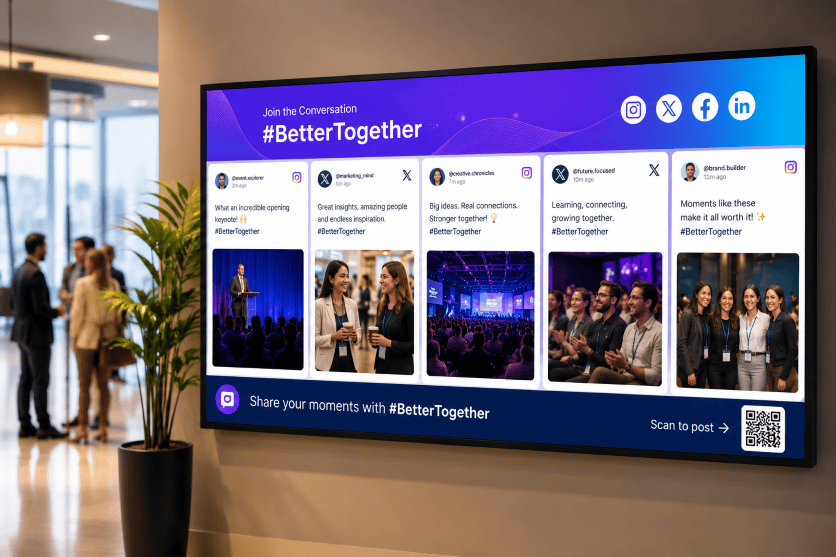
This turns ordinary TVs, LED walls, event screens, kiosks, and other displays into dynamic social experiences that encourage people to watch, interact, and participate.
In this guide, you’ll learn what social media digital signage is, why it matters, how to set it up, where to use it, and how Social Walls by Taggbox can help you create engaging social displays.
What Is Social Media Digital Signage?
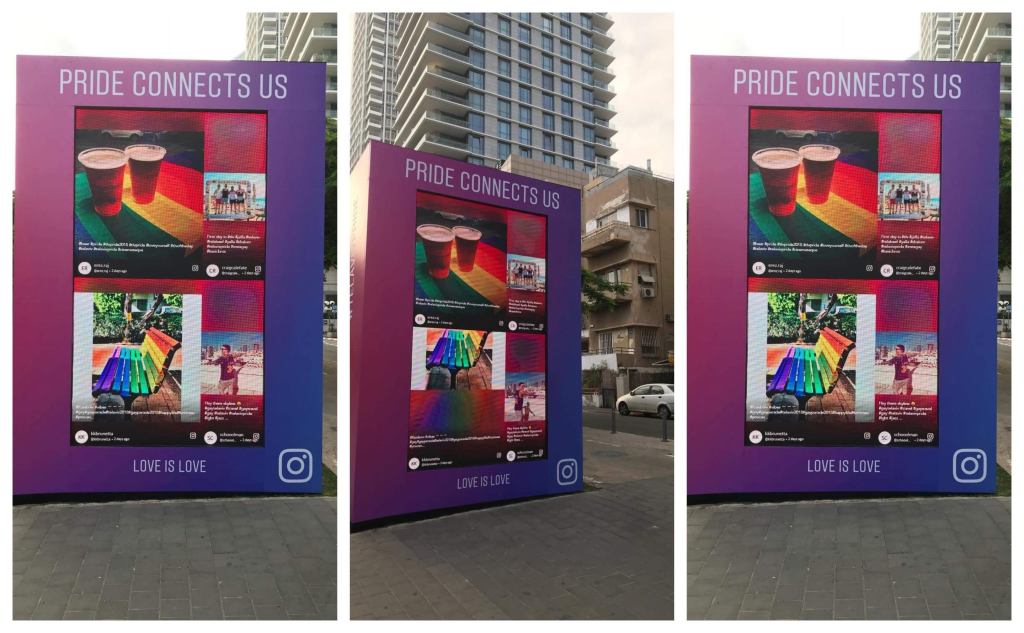
Social media digital signage is the use of social media content on digital displays such as TVs, LED walls, video walls, kiosks, and other screens.
Instead of displaying only content created by a brand, a social media wall can bring content from social platforms and audience interactions onto the screen.
For example, a brand could collect:
Instagram posts
TikTok videos
Facebook posts
LinkedIn content
YouTube content
X posts
Hashtag posts
Brand mentions
Tagged content
Customer photos
Customer videos
User-generated content
Direct photo uploads
The content is then curated, moderated, customized, and displayed on your digital signage.
In simple terms:
Social media → Social Wall → Digital Signage → Audience
This creates a connection between what people are sharing online and what people are seeing in a physical location.
Why Use a Social Media Wall for Digital Signage?
Traditional digital signage is useful for displaying announcements, advertisements, schedules, promotions, and branded content.
A social media wall adds real audience content to the experience.
Build Trust With Real Customer Content
People can relate to content created by other customers because it shows real experiences rather than only brand-created messages.
Displaying customer photos, social posts, mentions, and UGC can add social proof to your digital signage.
For example, a retail store can showcase customers using its products, while a hotel can display selected guest experiences.
This makes the screen feel less like an advertisement and more like a reflection of the people interacting with the brand.
Increase Engagement and Participation
A social media wall gives people a reason to participate.
If attendees know their post could appear on a large screen, they may be more likely to share photos, use an event hashtag, tag a brand, or submit content.
This creates a simple participation cycle:
See the wall → Create content → Content gets displayed → More people participate
This can be particularly effective at conferences, trade shows, product launches, brand activations, festivals, and other interactive experiences.
Keep Digital Signage Content Fresh
Static signage often requires someone to create and upload new content manually.
A social wall can continuously bring new audience content into your display.
As approved posts become available, the content on the wall can change, helping your screens feel more dynamic and current.
This can also reduce the amount of new content your marketing team needs to create for every screen.
Turn Passive Screens Into Interactive Experiences
A conventional screen communicates with the audience.
A social media wall can involve the audience.
When people see their own photos, posts, or messages on a large display, the screen becomes part of the experience rather than simply another source of information.
This is particularly valuable for events and physical spaces where audience participation matters.
Extend Your Social Media Presence Into Physical Spaces
Social media usually exists on phones and computers.
Digital signage gives those conversations a physical presence.
You can take content that is already being created online and bring it into:
Stores
Offices
Events
Hotels
Restaurants
Campuses
Exhibitions
Showrooms
Brand activations
Public spaces
This creates a bridge between your online community and your physical audience.
How to Create Social Media Digital Signage With Social Walls by Taggbox
Creating a social media wall for digital signage can be broken down into a simple workflow.
1. Identify Your Screens and Digital Signage Setup
Start by understanding where your social wall will appear.
Consider:
Number of screens
Screen size
Screen orientation
Resolution
Viewing distance
Internet connectivity
Existing digital signage setup
Media player or CMS
Location of each screen
A wall designed for a large LED display may need a different layout from one displayed on a smaller lobby TV.
2. Define Your Social Media Content Strategy
Before collecting content, decide what you want your wall to achieve.
You might want to:
Showcase UGC
Increase event participation
Promote a campaign
Display customer experiences
Encourage hashtag usage
Highlight employees
Promote products
Build social proof
Increase brand visibility
Improve visitor engagement
Your goal should determine what content sources you connect to the wall.
3. Connect Your Social Media Sources
With Social Walls by Taggbox, you can collect social content from multiple platforms and sources.
You can create feeds around relevant social accounts, hashtags, mentions, and other supported content sources.
This allows you to bring different types of social content into one centralized social wall instead of managing every platform separately.
4. Curate and Moderate Your Content
Not every social post should automatically appear on a public screen.
Use moderation and curation to control what your audience sees.
You can review content and remove posts that are:
Irrelevant
Spammy
Duplicate
Inappropriate
Off-brand
Unrelated to your campaign
This is especially important for public displays at events, stores, offices, and other high-visibility locations.
5. Customize Your Social Wall
Your social wall should look like part of your brand experience.
Customize elements such as:
Colors
Fonts
Background
Layout
Logo
Post design
Visual elements
Display style
Social Walls by Taggbox provides different ways to customize your social content so that the final display fits your event, campaign, brand, or physical environment.
6. Choose the Right Layout
The best layout depends on the screen and the type of content you’re displaying.
For example:
Grid: Useful when you want multiple posts visible at the same time.
Masonry/Wall: Useful for visually rich UGC where different content sizes create a dynamic look.
Carousel: Useful when you want to highlight posts one after another.
Slideshow: Useful when you want viewers to focus on individual posts or combine social content with other messages.
Choose a layout based on viewing distance, screen size, content type, and the amount of time people typically spend looking at the display.
7. Publish the Social Wall on Your Digital Signage
Once your social wall is ready, publish it on your selected digital signage screens.
Depending on your setup, you can use the supported publishing method, display URL, integration, or digital signage system to bring your social wall onto the screen.
Before going live, test the wall on the actual display.
Check the:
Layout
Resolution
Content visibility
Branding
Loading
Screen orientation
Update behavior
8. Monitor and Optimize
Once your social wall is live, review how people are interacting with the content.
Use available analytics and performance insights to understand:
Content volume
Engagement
Popular content
Content sources
Audience participation
Campaign performance
Then adjust your content sources, moderation rules, layouts, or campaign strategy based on what performs best.
How Different Industries Use Social Media Digital Signage
Social media walls can work across many industries because almost any physical environment can benefit from displaying relevant audience content.
Place social displays near entrances, product areas, checkout zones, or other high-traffic locations.
Seeing real customers interacting with products can add social proof to the shopping experience.
Events and Conferences
Events are one of the strongest use cases for social media digital signage.
A live event social wall can display:
Event hashtags
Attendee photos
Speaker mentions
Session reactions
Event videos
Sponsor content
Direct photo uploads
Audience messages
Place the wall on the main stage, registration screen, networking area, exhibition floor, or sponsor booth.
The social wall can make the event feel more interactive while encouraging attendees to create and share more content.
Trade Shows and Exhibitions
Trade shows have many brands, exhibitors, speakers, and attendees creating content at the same time.
A social media wall can bring those conversations together and display selected content across exhibition screens.
Brands can also create social walls around their own booths, campaigns, products, or event hashtags.
Corporate Offices
Companies can use social media digital signage to showcase:
Employee achievements
Company announcements
LinkedIn posts
Corporate events
Employee-generated content
Employer-branding campaigns
Team celebrations
Screens in reception areas, cafeterias, meeting spaces, and common areas can become more engaging with relevant social content.
Universities and Campuses
Educational institutions can use social walls to display:
Student content
Campus events
Student clubs
Sports activities
University announcements
Graduation content
Campus campaigns
This can help showcase the activity and personality of the campus community.
Hotels and Hospitality
Hotels, restaurants, resorts, and venues can use social walls to display guest experiences, event content, branded hashtags, and selected customer posts.
For hospitality brands, this can add authentic social proof to spaces where guests are already taking photos and sharing experiences.
Brand Activations
Social media walls can become part of a larger brand activation.
For example, you can combine a social wall with:
Photo booths
QR codes
Contests
Product demonstrations
Hashtag campaigns
Games
Giveaways
Interactive experiences
The social wall then becomes part of the activation rather than simply another screen.
Museums and Cultural Spaces
Museums and cultural organizations can use social walls to showcase visitor experiences, campaign content, exhibition-related posts, and community participation.
This can encourage visitors to share their experiences and see their contributions become part of the physical space.
How to Moderate Social Media Content on Digital Signage
Moderation is essential whenever social content is displayed publicly.
A post that looks harmless in a social feed can create a very different situation when it appears on a large screen in front of hundreds of people.
A good moderation process should include:
Content Approval
Review posts before they appear publicly.
Keyword Filters
Use filters to identify or block unwanted terms.
Source Selection
Choose which accounts, hashtags, or sources can contribute content.
Spam Protection
Remove repetitive or irrelevant content.
Manual Curation
Give your team the ability to select the most relevant and engaging posts.
AI-Assisted Moderation
AI-powered moderation can help identify potentially inappropriate content at scale, while human review can provide additional control for important campaigns.
Social Walls by Taggbox combines content collection, curation, moderation, and display into one social wall workflow.
Best Practices for Social Media Digital Signage
Keep the Design Easy to Read
People may only look at your screen for a few seconds.
Use clear layouts, readable text, and strong visual hierarchy.
Match the Display to the Environment
A large LED wall at a trade show requires a different design from a TV in an office reception area.
Don’t Overload the Screen
Showing too many posts at once can make the wall difficult to understand.
Moderate Before Displaying
Always consider what your audience could potentially see.
Use a Clear Call to Action
If you want people to participate, tell them what to do.
For example:
“Share your event moments with #YourEventName”
or
“Scan to upload your photo.”
Combine Social Content With Other Signage
You don’t have to use social content on every screen at all times.
Combine your social wall with:
Announcements
Promotions
Videos
Event schedules
Product information
Sponsor messages
Calls to action
Test Before Going Live
Test the social wall on the actual screen, in the actual location, before your campaign or event begins.
Common Challenges With Social Media Digital Signage
Challenge
Best Practice
Too much content
Use curation and moderation
Inappropriate posts
Use filters and approval controls
Difficult-to-read layouts
Choose a layout based on screen size
Outdated content
Use dynamic social feeds
Weak participation
Promote hashtags and QR submissions
Brand mismatch
Customize the wall to your visual identity
Screen compatibility issues
Test before deployment
Multiple screens
Use centralized management where available
Limited audience attention
Keep content visual and easy to scan
Unclear campaign goals
Define your objective before collecting content
Why Use Social Walls by Taggbox for Digital Signage?
Social Walls by Taggbox is designed to help brands collect, curate, moderate, and display social content across events, digital signage, websites, campaigns, and other experiences. The platform supports social content from 15+ platforms and offers different use cases for events, digital signage, websites, campaigns, employee engagement, photo booths, and virtual or hybrid events.
Collect Content From Multiple Social Sources
Bring social content from multiple supported platforms into one social wall instead of managing individual feeds separately.
Curate and Moderate Content
Choose which posts should appear on your screens and maintain control over your public-facing content.
Customize Your Social Wall
Match the wall with your event, campaign, company, or brand identity.
Display Content on Digital Signage
Use Social Walls by Taggbox to turn physical screens into engaging social displays across events, venues, stores, offices, and other locations.
Showcase UGC
Turn customer and attendee content into a visual part of your physical experience.
Use QR-Based Content Collection
With direct photo and video submission options, you can give audiences another way to contribute content without depending entirely on public social posts.
Measure Performance
Use analytics to understand your social content and audience activity and identify what is working best.
Manage Multiple Use Cases
The same social wall technology can support events, digital signage, websites, campaigns, employee engagement, photo booths, and virtual or hybrid experiences.
Social Media Digital Signage: Frequently Asked Questions
How do I display a social media wall on a digital signage screen?
First, create and customize your social media wall, connect your content sources, moderate the content, and then publish the wall using a supported digital signage method. The exact publishing process depends on your social wall platform and digital signage setup.
Can I display Instagram on a digital signage screen?
Yes. Instagram content can be displayed on digital signage through a compatible social media wall platform. You can use your own Instagram content or, where supported, create feeds around hashtags, mentions, or other relevant content sources.
Can a social media wall display content from multiple platforms?
Yes. Social Walls by Taggbox supports social content from 15+ platforms, allowing brands to bring content from different sources into one social wall.
Do I need to moderate a social media wall?
Moderation is strongly recommended for public-facing screens. It helps ensure that irrelevant, inappropriate, spam, or unwanted content does not appear on your digital signage.
Can customers upload photos directly to a social wall?
Yes, depending on the social wall platform. Direct photo and video uploads can be collected through methods such as QR codes, making it easier for audiences to contribute content.
Can social media digital signage be used in retail?
Yes. Retailers can display customer photos, product content, brand mentions, UGC, and other social proof on in-store screens.
Final Takeaway
Digital signage doesn’t have to be limited to static advertisements, announcements, or scheduled promotional content.
By adding a social media wall for digital signage, you can bring real audience experiences onto physical screens.
With Social Walls by Taggbox, brands can turn social content and UGC into engaging digital experiences across events, retail stores, offices, hospitality spaces, campuses, brand activations, and other physical environments.
Your screens don’t have to simply communicate with your audience.
They can give your audience a chance to become part of the content.
Events are no longer about simply bringing people together in one place. Attendees want to participate, share their experiences, and feel connected to the event in real time.
A social media wall for events helps make that possible by bringing live social media posts, photos, videos, and event-related content onto a single display. From conferences and trade shows to festivals and corporate events, an event social media wall can turn passive audiences into active participants.
In this guide, we’ll explore the best social media wall tools for events, their key features, benefits, and how to choose the right social wall tool for your next event.
What Is a Social Media Wall for Events?
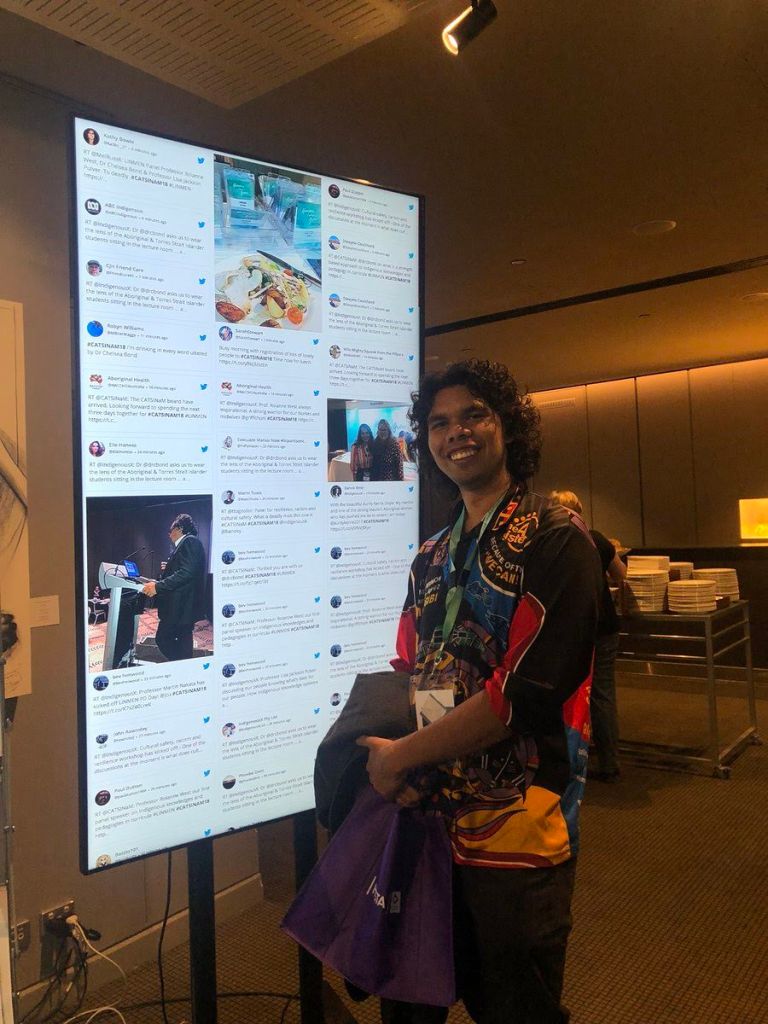
A social media wall for events is a digital display that collects and showcases social media content from different platforms in real time. Event organizers can curate posts using hashtags, handles, mentions, keywords, or other content sources and display them on venue screens, LED walls, kiosks, or digital signage.
A live social media wall can showcase attendee photos, videos, posts, event updates, brand mentions, and user-generated content throughout an event.
Instead of keeping social conversations on attendees’ phones, an event social wall brings them into the physical event space.
Why Use a Social Media Wall at Events?
A social media wall gives attendees a reason to participate and creates a more interactive event environment.
When attendees see their content featured on a large screen, they are more likely to share additional posts and use the official event hashtag. This can increase social conversations around your event while creating a continuous stream of fresh content.
A social wall can also help organizers:
Encourage attendee participation
Increase social media visibility
Showcase user-generated content
Create social proof around an event
Keep venue screens fresh and engaging
Encourage hashtag usage
Generate memorable moments
Connect online and offline audiences
Benefits of a Social Media Wall for Events
1. Increase Audience Engagement
The biggest advantage of an event social media wall is its ability to encourage participation.
Attendees become part of the event experience when they know their posts, photos, and videos can appear on the event screen. This creates a two-way interaction instead of making the audience feel like passive viewers.
2. Showcase User-Generated Content
Attendee-generated content can make an event feel more authentic.
A social media wall for live events can display real experiences from attendees, speakers, exhibitors, customers, and brand advocates. This creates a constantly changing collection of content that reflects what people are experiencing at the event.
3. Create More Interactive Event Experiences
A social media wall can turn ordinary venue screens into interactive experiences.
Instead of displaying the same static message throughout the event, organizers can show live conversations, attendee posts, event photos, and branded content.
4. Increase Event Hashtag Visibility
Event hashtags help organizers organize social conversations around an event.
Displaying hashtag posts on a social media wall display can encourage attendees to use the official hashtag when sharing their experiences. This can help create a larger stream of event-related content.
5. Keep Event Screens Fresh
Static content can quickly become repetitive during an event.
A live social media wall continuously updates with new content, giving attendees something different to see throughout the day.
6. Connect Online and Offline Audiences
Not everyone participating in an event will necessarily be in the venue.
Social media walls can bring online conversations into the physical event space, helping create a connection between attendees and people following the event remotely.
7. Strengthen Brand Visibility
Brands can use social walls to showcase attendee interactions, campaign content, product experiences, and social mentions.
This makes a social media wall for corporate events particularly useful for conferences, product launches, exhibitions, and brand activations.
8 Best Social Media Wall Tools for Events
There are several social media wall tools available for event organizers. Here are some platforms worth considering.
1. Social Walls by Taggbox
Social Walls by Taggbox is an all-in-one social media wall for events that helps brands turn live social content into engaging event experiences. It aggregates content from 15+ social media platforms, allowing organizers to bring posts, photos, videos, hashtags, and user-generated content together in one place.
With real-time updates and powerful moderation, event organizers can curate the most relevant content before displaying it on venue screens, LED walls, digital signage, or other event displays. Its SnapUp QR code uploads also let attendees share photos and content directly, making it easy for everyone to participate—even without posting publicly on social media.
From conferences and trade shows to corporate events, exhibitions, festivals, and brand activations, Social Walls by Taggbox helps transform audiences from passive viewers into active participants.
Key features:
Aggregate content from 15+ social platforms
Advanced content moderation
Content moderation
Multiple social media sources
Real-time updates
Customizable wall designs
SnapUp QR code uploads
Event-friendly display options
Analytics and performance insights
2. Walls.io
Walls.io is a social media wall platform that allows brands and event organizers to collect social content and display it across different screens and digital experiences.
It can be used for conferences, events, campaigns, and other interactive experiences where social content plays an important role.
Key features:
Social media aggregation
Content moderation
Customizable displays
Social media monitoring
Event displays
3. Onstipe
Onstipe is a social media aggregator that allows users to collect content from different social platforms and display it through customizable social feeds.
It can be used by businesses and event organizers looking to create engaging social media displays.
Key features:
Social media aggregation
Customizable widgets
Moderation
Multiple layouts
Real-time content updates
4. Everwall
Everwall focuses on displaying social media content on large screens for live events and other public experiences.
It is designed around real-time social content display and moderation, making it suitable for events where conversations need to be monitored before appearing publicly.
Key features:
Live social media display
Moderation
Event displays
Hashtag monitoring
Large-screen support
5. Flockler
Flockler is a social media aggregation and content display platform that helps organizations collect content from multiple sources and display it across digital channels.
It can be used for websites, digital signage, events, and other branded experiences.
Key features:
Social media aggregation
Digital signage
Content moderation
Custom layouts
Multiple content sources
6. Juicer
Juicer is a social media feed aggregator that collects content from social platforms and displays it in customizable feeds.
For events, it can help organizers bring social conversations and user-generated content into a centralized display.
Key features:
Social media feeds
Content aggregation
Moderation
Customization
Multiple social sources
7. Curator
Curator is a social media aggregation platform that allows businesses to collect and display social content through customizable feeds.
Event organizers can use it to showcase social posts and user-generated content as part of their event experience.
Key features:
Social media aggregation
Social feed customization
Content moderation
Multiple sources
Responsive displays
Social Media Wall Ideas for Events
A social media wall for events can be used in more ways than simply displaying Instagram or other social posts.
Event Hashtag Wall
Create a dedicated hashtag feed and showcase attendee posts using your official event hashtag.
Live Photo Wall
Display attendee photos and event moments throughout the venue to create a constantly updated visual experience.
Speaker Social Wall
Show posts and conversations related to speakers, sessions, or keynote presentations.
Sponsor Social Wall
Give sponsors greater visibility by showcasing relevant brand mentions and attendee interactions.
Conference Social Wall
Use a social media wall for conferences to display conversations, session highlights, attendee reactions, and event updates.
Product Launch Wall
For product launches, showcase attendee reactions, photos, videos, and social conversations around the new product.
Photo Upload Wall
Use QR-based uploads to allow attendees to contribute photos directly to the event wall.
Virtual Event Social Wall
A social media wall for virtual events can help bring social conversations into online experiences and encourage remote attendees to participate.
How to Choose the Best Social Media Wall for Events
Not every social media wall platform offers the same features. Before choosing a tool, consider the following:
1. Social Media Sources
Check whether the platform supports the social networks and content sources your audience uses most.
2. Content Moderation
Moderation is essential when displaying public content on large screens. Look for tools that allow you to review, filter, and control content before it appears.
3. Real-Time Updates
For live events, content should update quickly so your display remains fresh and relevant.
4. Customization
Your social wall should match your event branding. Look for customizable themes, layouts, colors, fonts, and display options.
5. Screen Compatibility
Make sure the social wall works with the screens and digital signage systems you plan to use at the venue.
6. Audience Participation
Look for features that make it easy for attendees to contribute content, such as hashtags, mentions, and QR-based uploads.
7. Analytics
Event analytics can help you understand how much content your event generated and how audiences interacted with your social wall.
8. Scalability
If you organize different types and sizes of events, choose a social wall software solution that can scale with your requirements.
How to Get More Engagement From Your Event Social Wall
Simply putting a social media wall on a screen isn’t enough. Give attendees a reason to participate.
Promote your event hashtag before and during the event. Place clear calls to action around the venue encouraging attendees to post, share photos, or upload their favorite moments.
You can also create interactive activities such as:
Best photo contests
Hashtag challenges
Live polls
Attendee shoutouts
Photo competitions
Sponsor campaigns
Session-specific hashtags
QR-based photo uploads
The more clearly you communicate how attendees can participate, the more content your event social media wall can generate.
Final Thoughts
A social media wall for events can turn social media activity into a visible and interactive part of the event experience. By displaying live posts, photos, videos, and attendee-generated content, organizers can encourage participation while keeping audiences connected throughout the event.
Among the available social media wall tools, Social Walls by Taggbox stands out as an event-focused option with features such as real-time social feeds, moderation, customization, analytics, and SnapUp QR-based uploads.
Whether you’re organizing a conference, trade show, corporate event, festival, exhibition, or hybrid experience, choosing the right social wall tool can help you create a more engaging and participatory event.
Conferences are no longer just about keynote sessions, presentations, and networking. Attendees now expect opportunities to participate, share content, and connect with the event beyond the stage.
AI-powered social wall tools help conference organizers bring this activity into the venue by collecting social media posts, photos, videos, and attendee-generated content and displaying them in real time. With AI moderation and smart content filtering, organizers can keep the feed relevant while creating a more engaging event environment.
In this guide, we’ll explore some of the top AI-powered social wall tools for conferences and the features you should consider when choosing one.
What Is an AI-Powered Social Wall?
An AI-powered social wall collects content from social networks and displays selected posts in a centralized feed. Instead of manually monitoring multiple platforms, organizers can use automation and AI to curate, moderate, and organize content before it appears on event screens.
A social media display can show attendee posts, event photos, speaker mentions, sponsor content, branded posts, and other user-generated content throughout the conference.
AI makes these platforms particularly useful for large conferences because hundreds or thousands of posts can be generated during a single event. Automated moderation helps identify unsuitable content, while smart filtering makes it easier to surface the posts that matter most.
What to Look for in a Conference Social Wall Tool
Not every social wall platform offers the same capabilities. Before selecting a tool, consider these important features:
AI-Powered Content Moderation
AI moderation can automatically identify inappropriate, irrelevant, or unwanted content before it reaches your event screens.
This is especially important for conferences where content can come from a large number of attendees.
Multiple Social Media Sources
Choose a platform that supports the networks your attendees and event sponsors actually use. Connecting multiple sources allows you to bring content from different platforms into one event feed.
Real-Time Updates
A conference social wall should update quickly as new content is published. Real-time updates keep the display fresh and encourage attendees to participate throughout the event.
Custom Branding
Look for options to customize colors, layouts, backgrounds, fonts, and other visual elements. Your social wall should feel like part of the conference rather than a separate third-party display.
UGC Collection
Some platforms allow attendees to submit photos and videos directly through QR codes or upload tools. This is useful when you want to collect event content even from people who don’t post publicly on social media.
Analytics
Event analytics can help organizers understand how much content was generated and how attendees interacted with the social wall.
Screen and Digital Signage Support
The platform should work with the screens and devices you plan to use at the conference, including TVs, LED screens, projectors, video walls, and digital signage systems.
Top AI Social Wall Tools for Conferences
1. Social Walls
Social Walls is an event-focused social wall platform designed to collect and display social media content and user-generated content at live events.
Its features include AI-powered moderation, real-time social feeds, content aggregation, event displays, and tools for collecting attendee-generated content.
Conference organizers can use it to showcase attendee posts, sponsor content, event photos, and live conversations across venue screens.
Key features:
AI-powered content moderation
Real-time social media feeds
UGC collection
QR-code content uploads
Custom event themes
Live polls and Q&A
Leaderboards
Event analytics
Digital signage support
Best for: Conferences, trade shows, corporate events, and large-scale live experiences.
2. Everwall
Everwall is designed specifically for displaying social media content and live audience interactions on large screens.
It provides moderation controls that help event organizers manage high volumes of social content during conferences and other live events.
Key features:
Real-time social feeds
Moderation
Custom branding
Event displays
Social media monitoring
Audience engagement features
Best for: Conferences, live events, and organizations handling high volumes of attendee posts.
3. Taggbox
Taggbox provides social media aggregation and UGC solutions that can be used to collect and display social content across any type of website.
Its moderation and customization features allow brands to control which content appears in their event feeds.
Key features:
Social media aggregation
UGC collection
Content moderation
Customizable widgets
Shoppable Widgets
Analytics
Best for: Conferences and brands looking to combine social content with broader UGC campaigns.
4. Flockler
Flockler allows organizations to collect content from social media channels and display it across websites, screens, and digital signage.
Its content management capabilities make it useful for organizations that need to manage social content across multiple locations.
Key features:
Social media feeds
Digital signage
Content moderation
Custom layouts
Multiple content sources
Screen displays
Best for: Conferences and organizations managing content across multiple digital screens.
5. Onstipe
Onstipe is a social media aggregation platform that enables brands and event organizers to collect and display content from different social networks.
It provides customizable layouts and moderation features for creating branded social walls.
Key features:
Social media aggregation
Real-time content
Moderation
Custom designs
Social media widgets
Digital displays
Best for: Events, conferences, exhibitions, and marketing campaigns.
How AI Improves Social Walls at Conferences
AI can make social walls easier to manage when an event generates a high volume of content.
Instead of requiring an organizer to review every post manually, AI can help identify potentially inappropriate content and filter posts according to predefined rules.
AI can also support content curation by helping organizers surface relevant posts, manage large content volumes, and keep the display focused on the event.
For a large conference, this can significantly reduce the amount of manual monitoring required.
How to Use a Social Wall During a Conference
A social wall can be integrated into different parts of the conference experience.
Display Attendee Posts
Encourage attendees to share their conference experiences and feature approved posts on screens around the venue.
Highlight Speakers
Show posts mentioning keynote speakers, panelists, or sessions to keep conversations visible beyond the stage.
Showcase Sponsors
Display approved sponsor mentions and branded content to give sponsors additional visibility during the event.
Encourage Participation
Promote a campaign hashtag or QR-code upload option and invite attendees to contribute photos and videos.
Create Networking Opportunities
Show attendee-generated content throughout the venue to give participants conversation starters and encourage interaction.
Run Live Engagement Activities
Combine the social wall with polls, Q&A sessions, quizzes, leaderboards, or other audience engagement features.
How to Choose the Right AI Social Wall Tool
The best tool depends on the size and requirements of your conference.
For a small conference, basic social aggregation and moderation may be enough.
For a large-scale event, look for a platform that offers AI moderation, multiple content sources, real-time updates, UGC collection, analytics, and support for multiple screens.
Also consider how easy the platform is to set up. Event teams often have limited time before an event, so a complicated technical setup can create unnecessary problems.
Final Thoughts
AI-powered social wall tools can turn attendee-generated content into an important part of the conference experience. They allow organizers to collect social posts, photos, videos, and other content while using automation to keep displays relevant and brand-safe.
When comparing platforms, don’t focus only on social media integrations. Consider AI moderation, real-time updates, UGC collection, customization, analytics, audience engagement features, and digital signage compatibility.
The right social wall can help transform conference screens from passive displays into a live reflection of what’s happening across the event.
Facebook reviews continue to play a major role in building customer trust and online credibility. In 2026, businesses are using Facebook review widgets and Facebook reviews plugins to showcase authentic customer feedback directly on their websites and convert visitors into customers.
Whether you run an ecommerce store, restaurant, SaaS business, healthcare clinic, agency, or local business, displaying Facebook reviews on your website can help strengthen social proof, improve engagement, and increase conversions.
Modern Facebook review tools now offer:
Real-time Facebook review syncing
Responsive review widgets
Floating review badges
Carousel and grid layouts
AI-powered moderation
Multi-platform review aggregation
No-code website embedding
Custom branding and styling
What Is Facebook Reviews Widget?
A Facebook Reviews Widget is a tool that helps businesses display customer reviews and recommendations from their Facebook Business Page directly on their website.
These widgets automatically pull reviews from Facebook and showcase them in visually engaging formats such as:
Review sliders
Carousels
Grids
Floating badges
Testimonial sections
Popup widgets
Sidebar review feeds
Modern Facebook review widgets are designed to help businesses improve trust and customer confidence while keeping website content fresh and interactive.
Businesses commonly place Facebook review widgets on:
Homepage sections
Product pages
Landing pages
Service pages
Checkout pages
Footer areas
Why Businesses Should Display Facebook Reviews on Their Website
Build Instant Social Proof
Customers trust real customer experiences more than traditional advertising. Displaying Facebook reviews helps visitors validate your business reputation instantly.
Increase Conversion Rates
Positive Facebook reviews near CTAs, pricing sections, and product pages can influence purchasing decisions and improve conversions.
Improve Customer Confidence
Facebook reviews help businesses appear more transparent and trustworthy, especially for first-time visitors.
Keep Website Content Fresh
Most Facebook review widgets automatically sync new reviews in real time, helping websites display fresh user-generated content consistently.
Features to Look for in a Facebook Reviews Widget Tool
Before choosing a Facebook review tool, look for features that improve customization, performance, and usability.
Real-Time Review Sync
Your Facebook reviews should update automatically whenever new reviews are added to your Facebook Business Page.
Responsive Design
Widgets should work seamlessly across desktop, tablet, and mobile devices.
Multiple Widget Layouts
Look for tools offering:
Carousel layouts
Review grids
Sliders
Floating badges
Masonry layouts
Popup review widgets
Review carousels and floating badges remain among the most popular review display formats in 2026.
Review Moderation
Advanced tools allow businesses to:
Filter reviews
Highlight positive feedback
Pin featured testimonials
Remove unwanted content
No-Code Embedding
The best Facebook review widgets provide simple copy-paste embedding without requiring technical knowledge.
Multi-Platform Support
Some tools aggregate reviews from platforms like:
Facebook
Google
Yelp
Trustpilot
Tripadvisor
This creates a stronger social proof ecosystem.
Best Tools to Display Facebook Reviews on Your Website
Taggbox
Taggbox is one of the most advanced tools for displaying Facebook reviews on websites. It allows businesses to collect, curate, customize, and display Facebook reviews in highly engaging formats.
The platform supports Facebook page reviews, recommendations, feeds, albums, and social content with extensive customization options.
Key Features
Real-time Facebook review syncing
Carousel, grid, and slider layouts
AI-powered moderation
Responsive design
Custom branding
Floating review widgets
No-code embedding
Multi-platform integrations
Best For
Ecommerce stores
Agencies
SaaS companies
Local businesses
Enterprise brands
Why Choose Taggbox?
Taggbox is ideal for businesses looking for highly customizable Facebook review widgets with advanced moderation and strong visual presentation.
Trustindex
Trustindex is a popular Facebook reviews plugin designed primarily for WordPress websites. It offers multiple widget layouts and flexible review display options.
The plugin is widely used by businesses that want beginner-friendly setup and responsive review widgets.
Key Features
Review filtering
Responsive widgets
Shortcode support
Easy WordPress setup
Free version available
Smash Balloon Reviews Feed
Smash Balloon helps businesses display Facebook reviews through responsive and dynamic review feeds.
The platform is especially popular among WordPress users because of its seamless integration and beginner-friendly setup.
Key Features
Responsive layouts
Visual customization
Automatic review updates
Lightweight performance
WordPress compatibility
Tagembed
Tagembed is a social media aggregation platform that helps businesses display Facebook reviews quickly and easily.
The platform supports multiple layout styles and beginner-friendly embedding options.
Key Features
Facebook review aggregation
Grid and carousel layouts
Responsive widgets
Multi-platform support
Common Ninja
Common Ninja offers stylish and interactive Facebook review widgets designed for modern websites.
Its visually rich layouts and advanced customization features make it popular among creative businesses.
Key Features
Interactive review layouts
Floating review badges
Responsive widgets
Advanced customization
Benefits of Displaying Facebook Reviews on Your Website
Builds Strong Social Proof
Facebook reviews help validate your business reputation through authentic customer feedback.
Increases User Trust
Positive reviews reassure visitors and improve customer confidence.
Encourages More Conversions
Displaying customer experiences near important CTAs can positively influence buying decisions.
Improves Website Engagement
Interactive review widgets encourage visitors to explore customer feedback and spend more time on your website.
Enhances Website Design
Modern Facebook review widgets improve visual credibility while keeping website layouts clean and engaging.
Best Places to Display Facebook Reviews on a Website
Strategic placement can maximize the impact of Facebook review widgets.
Recommended Placement Areas
Homepage hero sections
Product pages
Service pages
Pricing pages
Checkout pages
Sidebar sections
Landing pages
Footer areas
Floating review badges and review sliders are especially effective for improving visibility without cluttering the page.
Facebook Reviews Widget vs Manual Testimonials
Facebook Reviews Widget
Best for:
Real-time review updates
Dynamic social proof
Automated review syncing
Interactive layouts
Manual Testimonials
Best for:
Curated customer stories
Static website sections
Minimal design requirements
Most businesses now prefer Facebook review widgets because they automatically display authentic and updated customer feedback.
Final Thoughts
Displaying Facebook reviews on your website is one of the most effective ways to build trust, strengthen social proof, and improve customer confidence in 2026.
If you need advanced customization and highly engaging review displays, Taggbox is one of the strongest Facebook review widget solutions available today. The best Facebook review tool ultimately depends on your website platform, branding needs, customization preferences, and business goals.
FAQs
What is the best tool to display Facebook reviews on a website?
Taggbox, and Tagembed are among the best Facebook review widget tools in 2026.
Can I display Facebook reviews on WordPress?
Yes. Plugins like Taggbox make it easy to embed Facebook reviews on WordPress websites.
Are Facebook review widgets mobile responsive?
Most modern Facebook review widgets are fully responsive and optimized for mobile devices.
Do Facebook reviews update automatically on websites?
Yes. Most Facebook review widget tools automatically sync new reviews from your Facebook Business Page in real time.
Which Facebook review widget is best for ecommerce websites?
Taggbox is one of the best options for ecommerce businesses because of its advanced customization, moderation, and conversion-focused layouts.
If you’re using Squarespace, you already have a visually polished website. But in 2026, design alone isn’t enough—users expect dynamic, real-time content.
That’s where adding a Squarespace Instagram feed becomes a powerful upgrade.
By choosing to embed Instagram on Squarespace, you turn a static website into a constantly evolving experience—boosting engagement, building trust, and improving conversions without extra effort.
What Does It Mean to Add an Instagram Feed to Squarespace?
If your business relies on visuals, this is essential.
How to Embed Instagram Feed on Squarespace
Choose an Instagram widget tool like Taggbox
Connect your Instagram account
Customize your feed layout
Copy the embed code
Add a code block in Squarespace
Paste and publish
No advanced coding required.
Conclusion
Adding an Instagram feed to your Squarespace website is more than just a design enhancement—it’s a strategic move.
From boosting engagement and improving SEO signals to building trust and increasing conversions, the benefits are clear.
If you want your website to feel dynamic, authentic, and high-converting, integrating a Squarespace Instagram feed is one of the smartest decisions you can make.
FAQs
How do I add Instagram feed to Squarespace?
You can add an Instagram feed by using a code block or a third-party widget. Simply connect your Instagram account, customize the feed, and embed it on your site.
Does Squarespace support Instagram integration?
Yes, Squarespace offers basic integration, but advanced features require third-party Instagram widgets.
Is adding Instagram feed to Squarespace good for SEO?
Yes, it improves engagement metrics like dwell time and reduces bounce rate, which positively impact SEO.
Can I customize my Squarespace Instagram feed?
Yes, especially with third-party tools that allow layout, color, and content customization.
Do I need coding to embed Instagram on Squarespace?
No, most tools provide a simple copy-paste embed code.
Where should I place Instagram feed on Squarespace?
The best placements are homepage, product pages, and landing pages for maximum visibility.