
Squarespace is known for its clean design and visual-first approach, making it a perfect platform for showcasing Instagram content. While it does offer a basic Instagram block, many users look for more advanced solutions to improve design, engagement, and functionality.
That’s where Instagram widget tools come in. These tools help you go beyond simple feeds by offering customization, shoppable galleries, and better control over how your content appears.
In this guide, we’ll explore the best Instagram widget for Squarespace website and how they can enhance your site.
Why Use Instagram Widgets on Squarespace?
Before diving into the tools, here’s why widgets are important:
1. Go Beyond Basic Instagram Blocks
Squarespace’s native feature shows recent posts, but it has limitations in layout and flexibility.
2. Improve Design & Branding
Widgets offer multiple layouts like grids, sliders, and carousels that match your website design.
3. Add Advanced Features
With widgets, you can:
- Display hashtag feeds
- Show user-generated content
- Add shoppable Instagram galleries
- Combine multiple social feeds
4. Save Time with Automation
Most tools auto-sync your Instagram content, so your site stays updated without manual effort.
Best Instagram Widget Tools for Squarespace Websites
1. Taggbox – Best for Advanced Marketing & Shoppable Feeds

Taggbox is one of the most powerful Instagram widget for Squarespace. It allows you to collect, curate, and display Instagram content in a highly customizable way.
Key Highlights:
- Collect feeds from hashtags, mentions, and profiles
- Advanced moderation and filtering
- Shoppable Instagram galleries
- Multiple layout options (grid, slider, carousel)
- Real-time content updates
It’s ideal for brands that want to turn their Instagram feed into a conversion-focused element, not just a visual section. It also supports managing multiple feeds and creating interactive experiences for visitors.
2. Tagembed – Simple & Scalable Instagram Widget

Tagembed is a beginner-friendly tool that helps you add Instagram widgets quickly to your Squarespace site.
Key Highlights:
- Easy setup with no coding
- Responsive widget design
- Supports posts, reels, and videos
- Clean customization options
It’s a great option for users who want a balance between simplicity and functionality.
3. Juicer

Juicer is a powerful tool that allows you to combine Instagram feeds with other social media platforms into a single unified widget.
Key Highlights:
- Supports multiple social media feeds
- Clean and modern layout styles
- Content moderation features
- Easy embedding process
It’s ideal for brands that want to showcase a broader social presence beyond just Instagram.
4. Curator io – Lightweight & Fast Instagram Widget
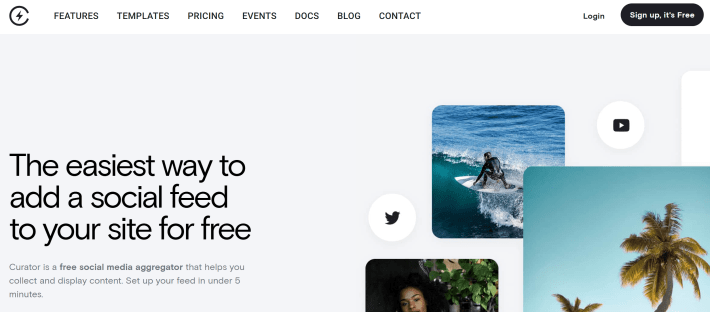
Curator io is known for its simplicity and performance-focused approach, making it a great choice for Squarespace users.
Key Highlights:
- Fast-loading feed widgets
- Simple moderation tools
- Clean and minimal design
- Supports multiple content sources
It works best for users who want a lightweight Instagram feed without affecting website speed.
5. Common Ninja – Flexible No-Code Widget
Common Ninja offers a highly customizable Instagram widget that integrates smoothly with Squarespace.
Key Highlights:
- Combine multiple Instagram feeds
- Easy customization options
- Responsive design
- Quick embed setup
It’s a practical choice for users who want flexibility without complexity.
6. Smash Balloon – Reliable & Customizable Feed Tool
Smash Balloon is a widely trusted Instagram feed solution known for its customization and performance.
Key Highlights:
- Multiple feed types (profile, hashtag, reels)
- Highly customizable layouts
- SEO-friendly and fast loading
- Works via embed method on Squarespace
It’s a solid option for users who want reliability and control over feed appearance.
7. Flockler – Advanced Social Feed Platform

Flockler is designed for businesses that need more control and scalability in their social media feeds.
Key Highlights:
- Advanced content moderation
- Multi-platform feed support
- Custom layouts and branding
- Ideal for campaigns and large-scale usage
It’s best suited for brands managing high volumes of social content.
8. CollectSocials – Design-Focused Instagram Widget
CollectSocials focuses on delivering visually appealing Instagram feeds with ready-to-use layouts.
Key Highlights:
- Pre-designed feed templates
- Easy customization
- Clean and modern UI
- Quick integration with Squarespace
It’s a good choice for users who prioritize design and presentation.
Overview: Choosing the Right Instagram Widget Tool
Each tool serves different needs:
- Taggbox → Best for marketing, UGC, and shoppable feeds
- Tagembed → Best for quick and simple setup
- Juicer → Best for multi-platform feeds
- Curator.io → Best for lightweight performance
- Common Ninja → Best for flexibility
- Smash Balloon → Best for reliability and customization
- Flockler → Best for large-scale campaigns
- CollectSocials → Best for design-focused widgets
Your choice depends on whether you prioritize simplicity, customization, or conversions.
How to Add Instagram Widget to Squarespace
Most tools follow a similar process:
Step 1: Create Your Widget
Connect your Instagram account or choose feed type.
Step 2: Customize Design
Adjust layout, colors, and display settings.
Step 3: Copy Embed Code
Generate the widget code.
Step 4: Add to Squarespace
- Open your editor
- Add a Code Block
- Paste the code
- Save and publish
That’s it—you’ve successfully added an Instagram widget to your Squarespace website.
Best Practices for Instagram Widgets
To get the most out of your widget:
- Use high-quality visuals
- Keep layouts clean and consistent
- Avoid overcrowding your page
- Ensure mobile responsiveness
- Regularly update or moderate content
Final Thoughts
Using Instagram widget tools is one of the easiest ways to enhance your Squarespace website. While the native Instagram block is useful for basic needs, third-party tools provide the flexibility and features needed to truly stand out.
Whether you want a simple feed or a fully interactive, shoppable gallery, the right Instagram widget can help you create a more engaging and conversion-driven website experience.


Leave a Reply