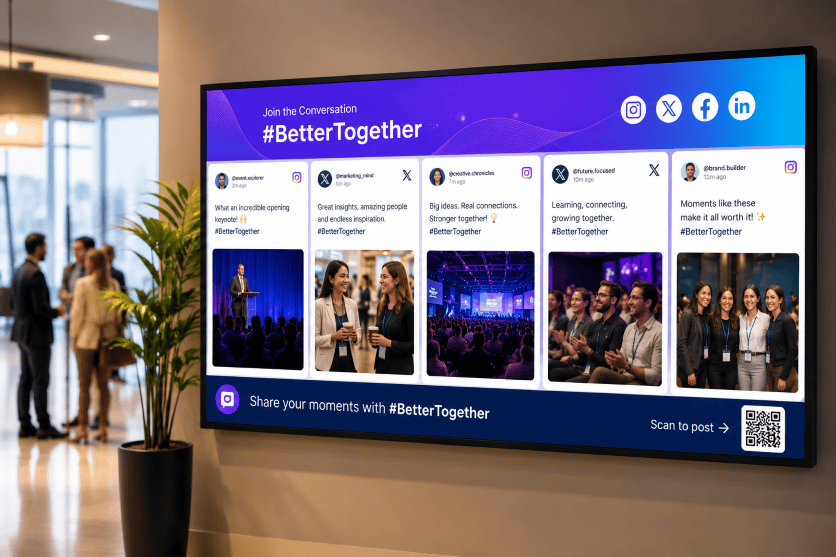
Digital signage is a powerful way to communicate with people in physical spaces. But when screens show the same promotional messages, announcements, or branded content repeatedly, they can become easy to ignore.
A social media wall for digital signage adds something different: content created by your audience.
With Social Walls by Taggbox, you can collect social media posts, photos, videos, hashtags, mentions, and other user-generated content, curate and moderate it, customize the display, and showcase it on digital signage screens.
This turns ordinary TVs, LED walls, event screens, kiosks, and other displays into dynamic social experiences that encourage people to watch, interact, and participate.
In this guide, you’ll learn what social media digital signage is, why it matters, how to set it up, where to use it, and how Social Walls by Taggbox can help you create engaging social displays.
What Is Social Media Digital Signage?
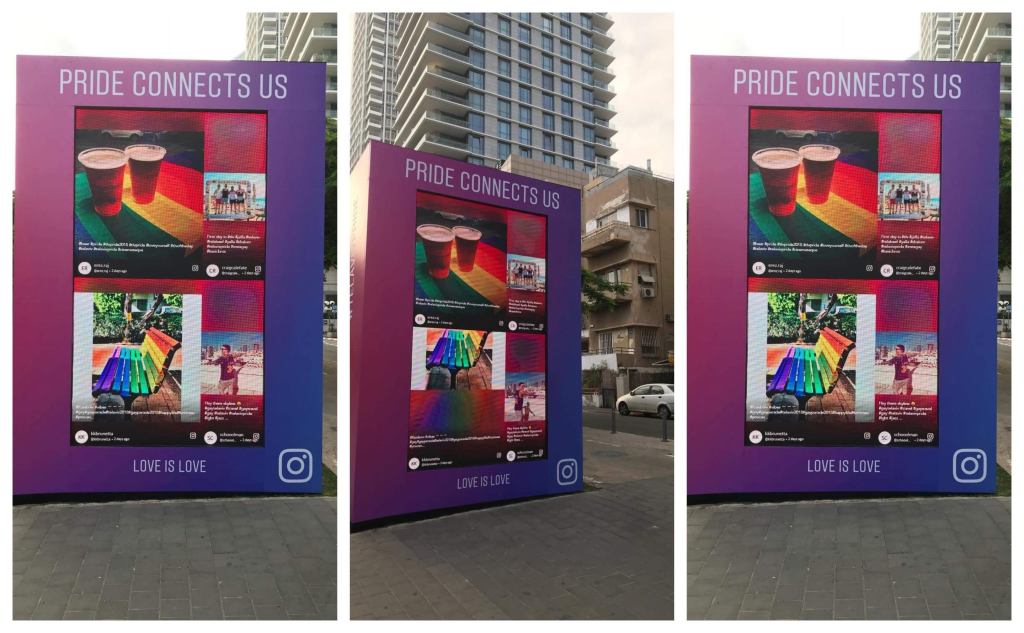
Social media digital signage is the use of social media content on digital displays such as TVs, LED walls, video walls, kiosks, and other screens.
Instead of displaying only content created by a brand, a social media wall can bring content from social platforms and audience interactions onto the screen.
For example, a brand could collect:
- Instagram posts
- TikTok videos
- Facebook posts
- LinkedIn content
- YouTube content
- X posts
- Hashtag posts
- Brand mentions
- Tagged content
- Customer photos
- Customer videos
- User-generated content
- Direct photo uploads
The content is then curated, moderated, customized, and displayed on your digital signage.
In simple terms:
Social media → Social Wall → Digital Signage → Audience
This creates a connection between what people are sharing online and what people are seeing in a physical location.
Why Use a Social Media Wall for Digital Signage?
Traditional digital signage is useful for displaying announcements, advertisements, schedules, promotions, and branded content.
A social media wall adds real audience content to the experience.
Build Trust With Real Customer Content
People can relate to content created by other customers because it shows real experiences rather than only brand-created messages.
Displaying customer photos, social posts, mentions, and UGC can add social proof to your digital signage.
For example, a retail store can showcase customers using its products, while a hotel can display selected guest experiences.
This makes the screen feel less like an advertisement and more like a reflection of the people interacting with the brand.
Increase Engagement and Participation
A social media wall gives people a reason to participate.
If attendees know their post could appear on a large screen, they may be more likely to share photos, use an event hashtag, tag a brand, or submit content.
This creates a simple participation cycle:
See the wall → Create content → Content gets displayed → More people participate
This can be particularly effective at conferences, trade shows, product launches, brand activations, festivals, and other interactive experiences.
Keep Digital Signage Content Fresh
Static signage often requires someone to create and upload new content manually.
A social wall can continuously bring new audience content into your display.
As approved posts become available, the content on the wall can change, helping your screens feel more dynamic and current.
This can also reduce the amount of new content your marketing team needs to create for every screen.
Turn Passive Screens Into Interactive Experiences
A conventional screen communicates with the audience.
A social media wall can involve the audience.
When people see their own photos, posts, or messages on a large display, the screen becomes part of the experience rather than simply another source of information.
This is particularly valuable for events and physical spaces where audience participation matters.
Extend Your Social Media Presence Into Physical Spaces
Social media usually exists on phones and computers.
Digital signage gives those conversations a physical presence.
You can take content that is already being created online and bring it into:
- Stores
- Offices
- Events
- Hotels
- Restaurants
- Campuses
- Exhibitions
- Showrooms
- Brand activations
- Public spaces
This creates a bridge between your online community and your physical audience.
How to Create Social Media Digital Signage With Social Walls by Taggbox
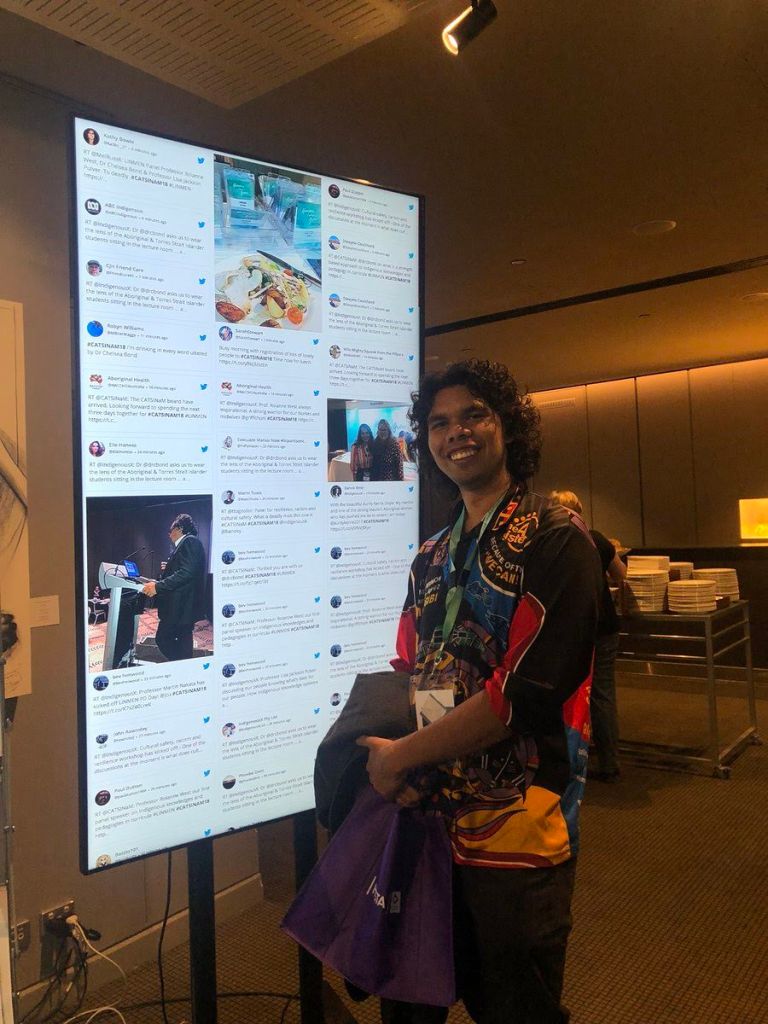
Creating a social media wall for digital signage can be broken down into a simple workflow.
1. Identify Your Screens and Digital Signage Setup
Start by understanding where your social wall will appear.
Consider:
- Number of screens
- Screen size
- Screen orientation
- Resolution
- Viewing distance
- Internet connectivity
- Existing digital signage setup
- Media player or CMS
- Location of each screen
A wall designed for a large LED display may need a different layout from one displayed on a smaller lobby TV.
2. Define Your Social Media Content Strategy
Before collecting content, decide what you want your wall to achieve.
You might want to:
- Showcase UGC
- Increase event participation
- Promote a campaign
- Display customer experiences
- Encourage hashtag usage
- Highlight employees
- Promote products
- Build social proof
- Increase brand visibility
- Improve visitor engagement
Your goal should determine what content sources you connect to the wall.
3. Connect Your Social Media Sources
With Social Walls by Taggbox, you can collect social content from multiple platforms and sources.
You can create feeds around relevant social accounts, hashtags, mentions, and other supported content sources.
This allows you to bring different types of social content into one centralized social wall instead of managing every platform separately.
4. Curate and Moderate Your Content
Not every social post should automatically appear on a public screen.
Use moderation and curation to control what your audience sees.
You can review content and remove posts that are:
- Irrelevant
- Spammy
- Duplicate
- Inappropriate
- Off-brand
- Unrelated to your campaign
This is especially important for public displays at events, stores, offices, and other high-visibility locations.
5. Customize Your Social Wall
Your social wall should look like part of your brand experience.
Customize elements such as:
- Colors
- Fonts
- Background
- Layout
- Logo
- Post design
- Visual elements
- Display style
Social Walls by Taggbox provides different ways to customize your social content so that the final display fits your event, campaign, brand, or physical environment.
6. Choose the Right Layout
The best layout depends on the screen and the type of content you’re displaying.
For example:
Grid:
Useful when you want multiple posts visible at the same time.
Masonry/Wall:
Useful for visually rich UGC where different content sizes create a dynamic look.
Carousel:
Useful when you want to highlight posts one after another.
Slideshow:
Useful when you want viewers to focus on individual posts or combine social content with other messages.
Choose a layout based on viewing distance, screen size, content type, and the amount of time people typically spend looking at the display.
7. Publish the Social Wall on Your Digital Signage
Once your social wall is ready, publish it on your selected digital signage screens.
Depending on your setup, you can use the supported publishing method, display URL, integration, or digital signage system to bring your social wall onto the screen.
Before going live, test the wall on the actual display.
Check the:
- Layout
- Resolution
- Content visibility
- Branding
- Loading
- Screen orientation
- Update behavior
8. Monitor and Optimize
Once your social wall is live, review how people are interacting with the content.
Use available analytics and performance insights to understand:
- Content volume
- Engagement
- Popular content
- Content sources
- Audience participation
- Campaign performance
Then adjust your content sources, moderation rules, layouts, or campaign strategy based on what performs best.
How Different Industries Use Social Media Digital Signage
Social media walls can work across many industries because almost any physical environment can benefit from displaying relevant audience content.
Retail Stores
Retailers can use social media walls to showcase:
- Customer photos
- Product posts
- Brand mentions
- Influencer content
- Campaign hashtag wall
- Customer experiences
Place social displays near entrances, product areas, checkout zones, or other high-traffic locations.
Seeing real customers interacting with products can add social proof to the shopping experience.
Events and Conferences
Events are one of the strongest use cases for social media digital signage.
A live event social wall can display:
- Event hashtags
- Attendee photos
- Speaker mentions
- Session reactions
- Event videos
- Sponsor content
- Direct photo uploads
- Audience messages
Place the wall on the main stage, registration screen, networking area, exhibition floor, or sponsor booth.
The social wall can make the event feel more interactive while encouraging attendees to create and share more content.
Trade Shows and Exhibitions
Trade shows have many brands, exhibitors, speakers, and attendees creating content at the same time.
A social media wall can bring those conversations together and display selected content across exhibition screens.
Brands can also create social walls around their own booths, campaigns, products, or event hashtags.
Corporate Offices
Companies can use social media digital signage to showcase:
- Employee achievements
- Company announcements
- LinkedIn posts
- Corporate events
- Employee-generated content
- Employer-branding campaigns
- Team celebrations
Screens in reception areas, cafeterias, meeting spaces, and common areas can become more engaging with relevant social content.
Universities and Campuses
Educational institutions can use social walls to display:
- Student content
- Campus events
- Student clubs
- Sports activities
- University announcements
- Graduation content
- Campus campaigns
This can help showcase the activity and personality of the campus community.
Hotels and Hospitality
Hotels, restaurants, resorts, and venues can use social walls to display guest experiences, event content, branded hashtags, and selected customer posts.
For hospitality brands, this can add authentic social proof to spaces where guests are already taking photos and sharing experiences.
Brand Activations
Social media walls can become part of a larger brand activation.
For example, you can combine a social wall with:
- Photo booths
- QR codes
- Contests
- Product demonstrations
- Hashtag campaigns
- Games
- Giveaways
- Interactive experiences
The social wall then becomes part of the activation rather than simply another screen.
Museums and Cultural Spaces
Museums and cultural organizations can use social walls to showcase visitor experiences, campaign content, exhibition-related posts, and community participation.
This can encourage visitors to share their experiences and see their contributions become part of the physical space.
How to Moderate Social Media Content on Digital Signage
Moderation is essential whenever social content is displayed publicly.
A post that looks harmless in a social feed can create a very different situation when it appears on a large screen in front of hundreds of people.
A good moderation process should include:
Content Approval
Review posts before they appear publicly.
Keyword Filters
Use filters to identify or block unwanted terms.
Source Selection
Choose which accounts, hashtags, or sources can contribute content.
Spam Protection
Remove repetitive or irrelevant content.
Manual Curation
Give your team the ability to select the most relevant and engaging posts.
AI-Assisted Moderation
AI-powered moderation can help identify potentially inappropriate content at scale, while human review can provide additional control for important campaigns.
Social Walls by Taggbox combines content collection, curation, moderation, and display into one social wall workflow.
Best Practices for Social Media Digital Signage
Keep the Design Easy to Read
People may only look at your screen for a few seconds.
Use clear layouts, readable text, and strong visual hierarchy.
Match the Display to the Environment
A large LED wall at a trade show requires a different design from a TV in an office reception area.
Don’t Overload the Screen
Showing too many posts at once can make the wall difficult to understand.
Moderate Before Displaying
Always consider what your audience could potentially see.
Use a Clear Call to Action
If you want people to participate, tell them what to do.
For example:
“Share your event moments with #YourEventName”
or
“Scan to upload your photo.”
Combine Social Content With Other Signage
You don’t have to use social content on every screen at all times.
Combine your social wall with:
- Announcements
- Promotions
- Videos
- Event schedules
- Product information
- Sponsor messages
- Calls to action
Test Before Going Live
Test the social wall on the actual screen, in the actual location, before your campaign or event begins.
Common Challenges With Social Media Digital Signage
| Challenge | Best Practice |
| Too much content | Use curation and moderation |
| Inappropriate posts | Use filters and approval controls |
| Difficult-to-read layouts | Choose a layout based on screen size |
| Outdated content | Use dynamic social feeds |
| Weak participation | Promote hashtags and QR submissions |
| Brand mismatch | Customize the wall to your visual identity |
| Screen compatibility issues | Test before deployment |
| Multiple screens | Use centralized management where available |
| Limited audience attention | Keep content visual and easy to scan |
| Unclear campaign goals | Define your objective before collecting content |
Why Use Social Walls by Taggbox for Digital Signage?
Social Walls by Taggbox is designed to help brands collect, curate, moderate, and display social content across events, digital signage, websites, campaigns, and other experiences. The platform supports social content from 15+ platforms and offers different use cases for events, digital signage, websites, campaigns, employee engagement, photo booths, and virtual or hybrid events.
Collect Content From Multiple Social Sources
Bring social content from multiple supported platforms into one social wall instead of managing individual feeds separately.
Curate and Moderate Content
Choose which posts should appear on your screens and maintain control over your public-facing content.
Customize Your Social Wall
Match the wall with your event, campaign, company, or brand identity.
Display Content on Digital Signage
Use Social Walls by Taggbox to turn physical screens into engaging social displays across events, venues, stores, offices, and other locations.
Showcase UGC
Turn customer and attendee content into a visual part of your physical experience.
Use QR-Based Content Collection
With direct photo and video submission options, you can give audiences another way to contribute content without depending entirely on public social posts.
Measure Performance
Use analytics to understand your social content and audience activity and identify what is working best.
Manage Multiple Use Cases
The same social wall technology can support events, digital signage, websites, campaigns, employee engagement, photo booths, and virtual or hybrid experiences.
Social Media Digital Signage: Frequently Asked Questions
How do I display a social media wall on a digital signage screen?
First, create and customize your social media wall, connect your content sources, moderate the content, and then publish the wall using a supported digital signage method. The exact publishing process depends on your social wall platform and digital signage setup.
Can I display Instagram on a digital signage screen?
Yes. Instagram content can be displayed on digital signage through a compatible social media wall platform. You can use your own Instagram content or, where supported, create feeds around hashtags, mentions, or other relevant content sources.
Can a social media wall display content from multiple platforms?
Yes. Social Walls by Taggbox supports social content from 15+ platforms, allowing brands to bring content from different sources into one social wall.
Do I need to moderate a social media wall?
Moderation is strongly recommended for public-facing screens. It helps ensure that irrelevant, inappropriate, spam, or unwanted content does not appear on your digital signage.
Can customers upload photos directly to a social wall?
Yes, depending on the social wall platform. Direct photo and video uploads can be collected through methods such as QR codes, making it easier for audiences to contribute content.
Can social media digital signage be used in retail?
Yes. Retailers can display customer photos, product content, brand mentions, UGC, and other social proof on in-store screens.
Final Takeaway
Digital signage doesn’t have to be limited to static advertisements, announcements, or scheduled promotional content.
By adding a social media wall for digital signage, you can bring real audience experiences onto physical screens.
The most effective workflow is simple:
Collect → Curate → Moderate → Customize → Display → Engage → Measure
With Social Walls by Taggbox, brands can turn social content and UGC into engaging digital experiences across events, retail stores, offices, hospitality spaces, campuses, brand activations, and other physical environments.
Your screens don’t have to simply communicate with your audience.
They can give your audience a chance to become part of the content.


Leave a Reply